How does a link work?
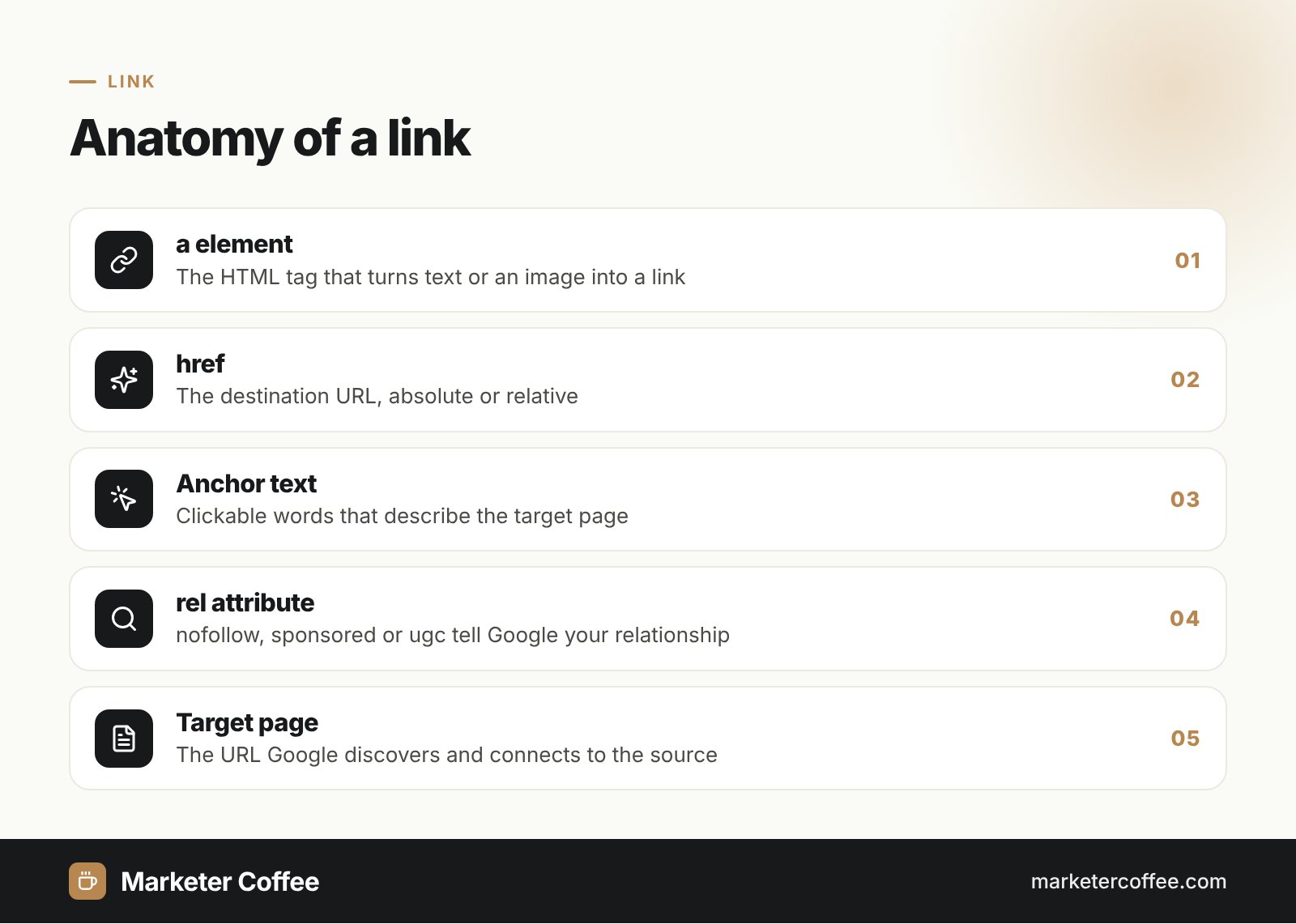
A link works through the HTML a element (anchor) with an href attribute that holds the target address. MDN Web Docs describes the element as the way to point to web pages, files, email addresses, sections of the same page or anything else a URL can address. The visible text between the opening and closing tag is the anchor text.
A standard link has three parts:
- URL in href: the destination, absolute (https://example.com/page) or relative (/page).
- Anchor text: the clickable words that tell users and Google what the target is about.
- Attributes: optional settings such as rel, target or download.
Short history of the hyperlink
The hyperlink is older than the web itself. Douglas Engelbart’s team first implemented links inside a single document in 1966 and connected separate documents with the NLS system in 1968. Ted Nelson used the word “link” in 1965 for Project Xanadu. Tim Berners-Lee built the web at CERN in 1989 around the idea of linking any information to any other, and CERN released the web software into the public domain on 30 April 1993.
Types of links
Links are classified by what they point to and where they sit. The six types below cover almost every case.
Internal links
Internal links connect pages within the same domain and build the site’s structure, from menus to contextual links in articles.
External links and backlinks
External links point to another domain. Seen from the receiving site, the same link is a backlink, the strongest off-page ranking signal.
Anchor (fragment) links
Fragment links such as #pricing jump to a section of the same page, which is useful for long guides and tables of contents.
Image links
Image links wrap an image in the a element. Google uses the image’s alt text as anchor text, so the alt attribute must describe the target.
Email and phone links
mailto: links open an email client, and tel: links start a call on mobile devices, which makes them key conversion elements in local and B2B sites.
Download links
The download attribute tells the browser to save a file, for example a PDF report, instead of opening it.
Links in SEO
Links matter in SEO because Google discovers new URLs and understands relationships between pages by following links. Google Search Central explains that Googlebot adds a new page to its list of known URLs when it finds a link to it from an already known page, for example a category page linking to a new blog post.
Google’s link best practices boil down to four rules:
- Use a elements with href, because Google cannot reliably follow onclick handlers or span pseudo-links.
- Write descriptive, concise anchor text instead of “click here”.
- Link every important page from at least one other page on your site.
- Mark paid links with rel=”sponsored”, user-generated links with rel=”ugc”, and untrusted sources with rel=”nofollow”.
Good internal linking also spreads authority to deep pages and helps Google spend its crawl budget on URLs that matter. It belongs to every on-page SEO checklist. In multilingual sites I check that each language version links to its own language pages, alongside correct hreflang tags, because mixed-language links confuse both users and Google.
Link attributes compared
The rel attribute tells search engines how you relate to the linked page.
| Attribute | Use it for | SEO meaning |
|---|---|---|
| none (followed) | Editorial links you trust | Passes signals normally |
| rel=”nofollow” | Sources you do not vouch for | Hint not to associate your site with the target |
| rel=”sponsored” | Paid or affiliate links | Required for paid placements |
| rel=”ugc” | Comments and forum posts | Flags user-generated content |
Frequently asked questions about Link
What is the difference between a link and a hyperlink?
There is no difference: "link" is the short form of "hyperlink". Both describe a clickable reference to another resource, created in HTML with the a element.
What is anchor text?
Anchor text is the visible, clickable text of a link. Google uses it to understand what the linked page is about, so it should be descriptive and concise.
Do links still matter for SEO?
Links still matter because Google discovers pages by following them and uses them to judge relationships and authority. Internal links shape site structure, and links from other sites act as votes of trust.
Can Google follow JavaScript links?
Google follows JavaScript-inserted links when they use a standard a element with an href attribute in the rendered HTML. Links built only with onclick handlers are not reliably crawled.
Related terms
- Link best practices for Google · Google Search Central
- In-depth guide to how Google Search works · Google Search Central
- <a>: The Anchor element · MDN Web Docs (Mozilla)
- Hyperlink · Wikipedia
- The birth of the Web · CERN