
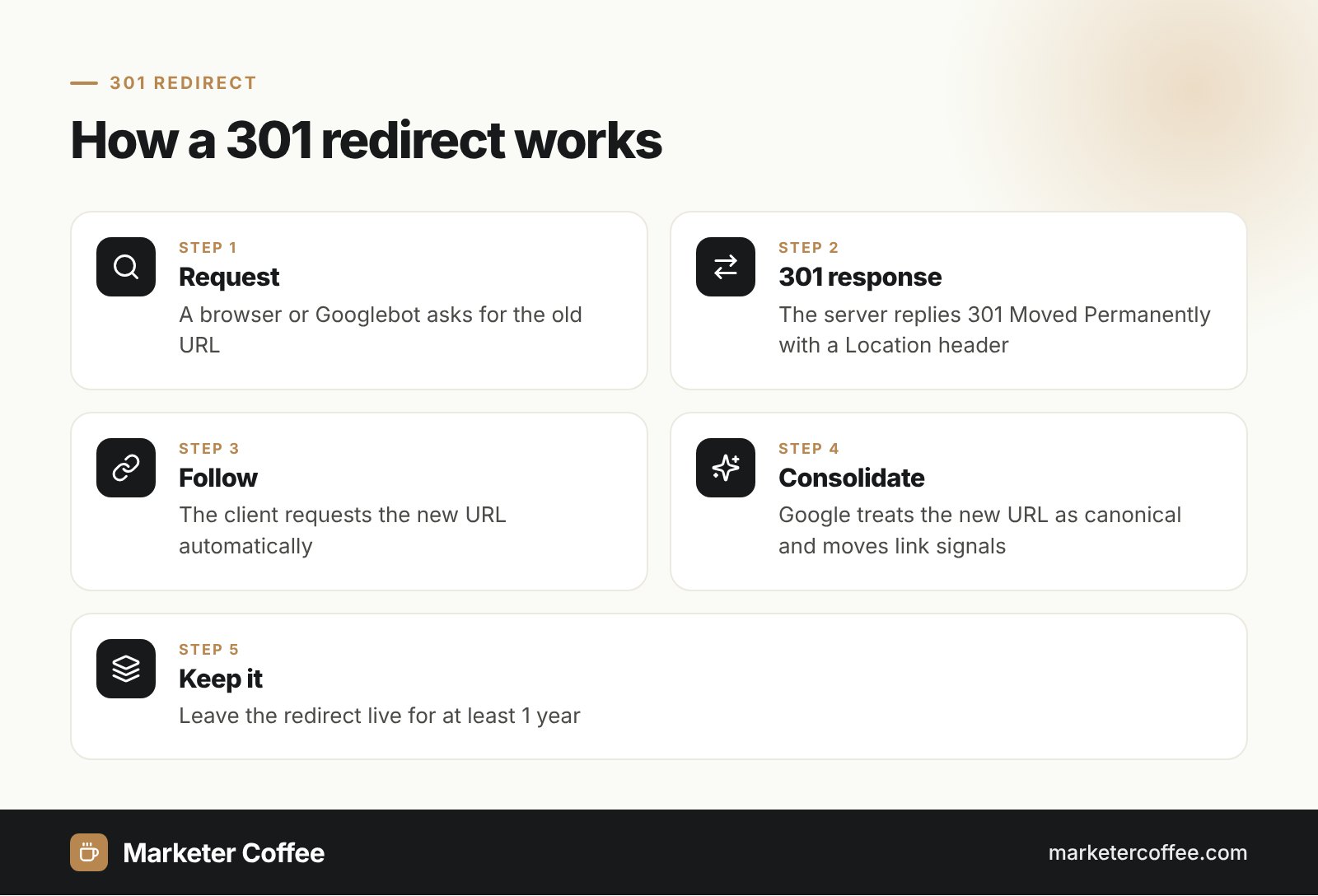
How does a 301 redirect work?
A 301 redirect works by answering a request for an old URL with status 301 and a Location header that points to the new URL. The browser reads that header and requests the new address automatically, so the user lands on the right page without noticing. A typical response looks like this: HTTP/1.1 301 Moved Permanently, followed by Location: https://example.com/new-page/.
RFC 9110 defines 301 as a permanent move and says clients should update stored references to the new URL. Responses with 301 are cacheable by default, so browsers can remember the redirect and skip the old URL next time. MDN notes one technical catch: when a form is sent with POST, browsers usually repeat the request to the new URL as GET. Use a 308 redirect if the request method must stay the same.
How does Google treat a 301 redirect?
Google treats a 301 as a strong signal that the target URL should become the canonical version. According to Google Search Central, Googlebot follows the redirect and the indexing system moves the page’s signals to the new address. Google’s site move guide also says that permanent redirects do not lose PageRank, so link equity from backlinks pointing at the old URL carries over.
The table shows how Google groups redirect methods.
| Type | Methods | Canonical signal for the target |
|---|---|---|
| Permanent | HTTP 301, HTTP 308, meta refresh with 0 seconds, JavaScript location | Yes |
| Temporary | HTTP 302, 303, 307, meta refresh with a delay | No |
Google adds a few rules worth knowing. Googlebot follows up to 10 hops in a redirect chain, but recommends linking straight to the final URL and keeping chains to 3 hops or fewer. Redirecting many old pages to the homepage can be treated as a soft 404, and old URLs with no real replacement should return 404 or 410 instead.
When to use a 301 redirect
Use a 301 redirect whenever a URL changes for good and the move will not be reverted. Typical cases:
- Domain migrations, such as moving from a .pl domain to a .com domain with language folders.
- HTTP to HTTPS and non-www to www (or the reverse) consolidation.
- URL structure changes after a CMS switch or a new category tree.
- Merging two thin articles into one stronger page.
- Product pages that are discontinued but have a close replacement.
For short-term moves, such as a seasonal landing page or A/B test, a 302 redirect is the correct choice, because it tells Google to keep the original URL indexed.
How to set up a 301 redirect: server examples
A 301 is set up on the server, before any page content is sent, which Google calls the most reliable method. The H3s below show the most common setups as plain text.
Apache (.htaccess)
With mod_alias, one line is enough: Redirect permanent /old-page/ https://example.com/new-page/. For pattern-based rules, mod_rewrite uses the flag [R=301,L] at the end of a RewriteRule.
NGINX
Inside a server block, write: location = /old-page/ { return 301 https://example.com/new-page/; }. For regex patterns, use rewrite with the permanent flag.
PHP and WordPress
In PHP, send header(“Location: https://example.com/new-page/”, true, 301); and then exit;. In WordPress, plugins such as Redirection or Rank Math write the same rule without code. Only when server access is impossible, Google accepts an instant meta refresh as a permanent redirect.
301 redirects in SEO practice
In my migration projects, the redirect map is the single document that decides whether traffic survives. I map every old URL with traffic or links to its closest new equivalent, then update internal links, canonical tags, hreflang annotations and the sitemap so Google does not have to crawl through redirects at all. This also protects crawl budget on large stores. If you plan a domain or structure change, a technical SEO review before launch costs far less than recovering lost rankings afterwards.
Frequently asked questions about 301 redirect
What does a 301 redirect mean?
A 301 redirect means that a page has moved permanently to a new URL given in the Location header. Browsers follow it automatically, and search engines move ranking signals to the new address.
Does a 301 redirect pass link equity?
A 301 redirect passes link equity to the new URL. Google's site move documentation states that permanent redirects do not cause a loss of PageRank.
How long should I keep a 301 redirect?
Keep a 301 redirect for as long as possible, and for at least 1 year according to Google Search Central. That gives Google time to recrawl old links and transfer all signals.
What is the difference between a 301 and a 302 redirect?
A 301 redirect signals a permanent move and makes the new URL canonical. A 302 redirect signals a temporary move, so Google usually keeps the original URL in the index.
Related terms
- RFC 9110: HTTP Semantics · IETF / RFC Editor
- 301 Moved Permanently · MDN Web Docs
- Redirects and Google Search · Google Search Central
- Site moves with URL changes · Google Search Central