
What does the 308 status code mean?
The 308 status code means the resource has a new permanent URI and clients must repeat the same request there. The server sends the new address in the Location header. If the original request was a POST with form data, the browser sends a POST with the same body to the new URL. RFC 7538 also states that a 308 response is cacheable by default, so browsers remember it unless cache headers say otherwise.
308 vs 301, 302 and 307
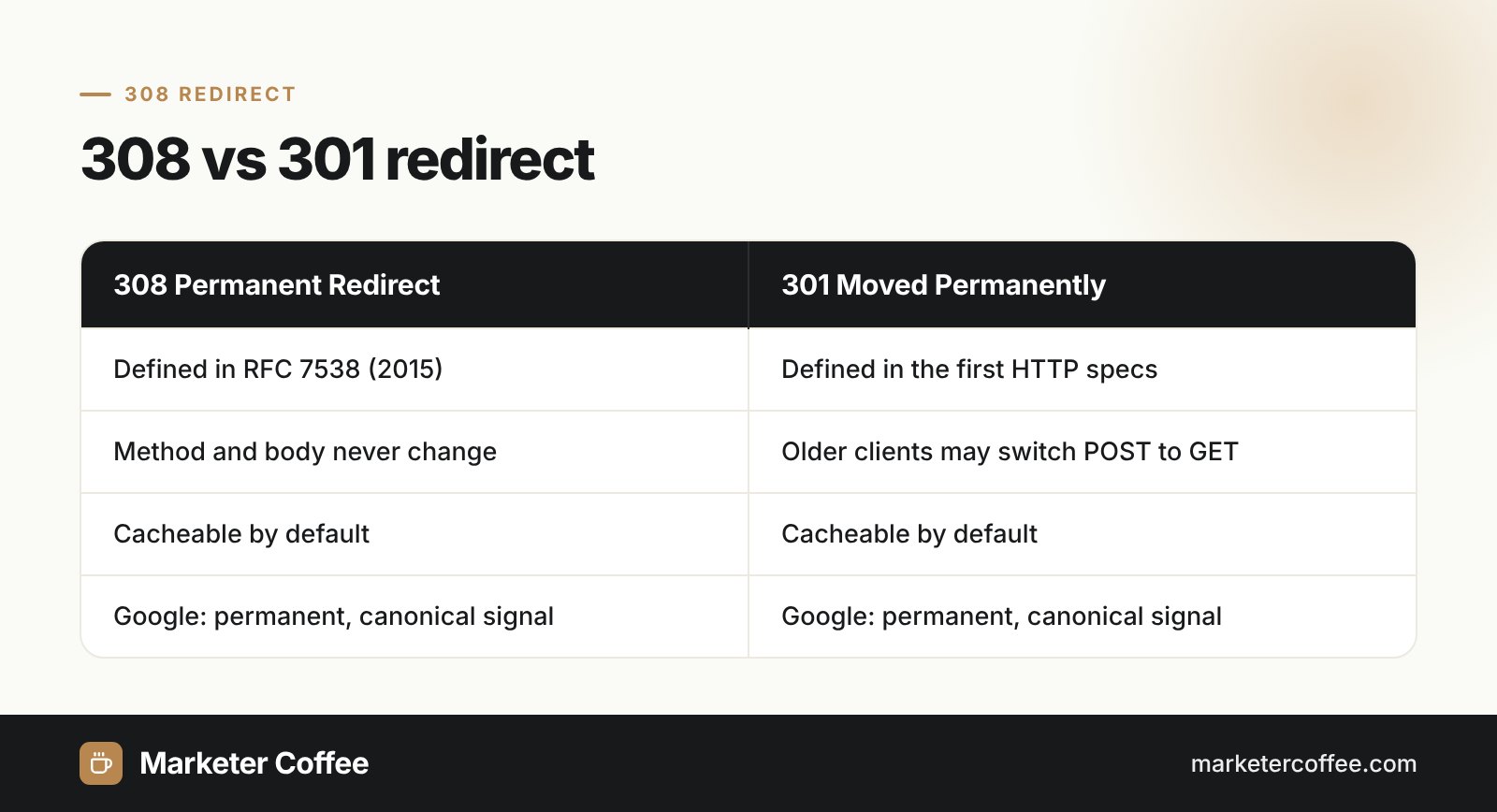
The 308 redirect is the method-preserving twin of the 301 redirect. Historically, many browsers turned a POST into a GET after a 301 or 302 redirect, which broke forms and APIs. RFC 7538 introduced 308 to forbid that change for permanent moves, just as the 307 redirect does for temporary ones.
| Code | Type | Method may change to GET | Google treatment |
|---|---|---|---|
| 301 | Permanent | Yes (historically) | Strong canonical signal for the target |
| 308 | Permanent | No | Strong canonical signal for the target |
| 302 | Temporary | Yes (historically) | Source URL usually stays indexed |
| 307 | Temporary | No | Source URL usually stays indexed |
How does Google treat a 308 redirect?
Google treats a 308 redirect the same way as a 301: Googlebot follows it and the indexing pipeline uses it as a signal that the target should be canonical. Google’s documentation groups 301 and 308 under “moved permanently” and recommends permanent server-side redirects whenever a URL changes for good. For SEO this means you can use 308 during a domain move or HTTPS migration without losing ranking signals compared with 301.
When should you use a 308 redirect?
Use a 308 redirect when a URL moves for good and the request method must survive the move. Typical cases are:
- API endpoints that receive POST or PUT requests and change their path.
- Form handlers that move to a new URL.
- Frameworks that default to 308, such as Next.js, which uses 308 for every redirect marked permanent.
- Site migrations where the server or CDN already issues 308 and you want consistent behaviour.
For ordinary GET pages, 301 and 308 work equally well for SEO, so pick one and apply it consistently. Avoid stacking several hops, because a redirect chain wastes crawl budget.
How to set up a 308 redirect
A 308 redirect is set up in the web server, CDN or application configuration. Examples in plain text:
- Nginx (version 1.13.0 or newer): return 308 https://example.com/new-page;
- Apache mod_alias: Redirect 308 “/old-page” “https://example.com/new-page”
- Next.js next.config.js: an entry with source, destination and permanent: true returns 308.
Nginx documentation notes that 308 was not treated as a redirect before version 1.13.0, so check your server version first. After deployment, test the response with a header checker and confirm the Location value is an absolute, final URL.
Redirect mapping is a core part of my technical SEO work, especially when a site moves to new country folders in international SEO projects.
Frequently asked questions about 308 redirect
Is a 308 redirect good for SEO?
A 308 redirect is good for SEO when a page moves permanently. Google treats it like a 301 and uses it as a signal that the new URL should be canonical.
What is the difference between 301 and 308?
Both 301 and 308 are permanent redirects, but 308 forbids changing the request method. With 308 a POST stays a POST, while older clients may switch a 301 POST to GET.
Is a 308 redirect cached?
A 308 response is cacheable by default according to RFC 7538. Browsers can remember it, so test redirects carefully before going live.
Why does Next.js use 308 instead of 301?
Next.js uses 308 for permanent redirects to preserve the original request method. Its documentation explains that many browsers changed POST to GET after 301 and 302.
Related terms
- RFC 9110: HTTP Semantics · IETF / RFC Editor
- RFC 7538: The Hypertext Transfer Protocol Status Code 308 (Permanent Redirect) · IETF / RFC Editor
- Redirects and Google Search · Google Search Central
- 308 Permanent Redirect · MDN Web Docs
- Module ngx_http_rewrite_module · nginx
- redirects (next.config.js) · Next.js (Vercel)