
The best AI website builders in 2026 are Webflow for marketing sites that need to rank, Framer for design-led startup sites, Wix Harmony for small businesses that want everything in one place, and Squarespace for polished brand sites. I am Adrian Dąbrowiecki, an SEO consultant for SaaS and ecommerce brands, and I judged every tool here on one question most reviews skip: can the site it produces actually be found in Google and in AI answers? Below are nine AI website builders with current prices, what the AI really does, how SEO-ready each one is, and which to pick for which kind of site.
Two things changed this year. Wix launched Harmony in January 2026, rebuilding its editor around Aria, an AI agent that builds and edits pages from plain language. And Lovable, the most popular of the prompt-to-app tools, moved new projects to server-side rendering in May 2026, which fixed the biggest SEO problem of “vibe-coded” sites. The gap between AI builders that produce a pretty demo and ones that produce an indexable website is now easier to see.
What Is an AI Website Builder?
An AI website builder is a tool that generates a working website, including layout, copy, images and structure, from a short description, and then lets you edit the result by prompt or by hand.
There are two families, and they behave very differently. The first is the classic website platform with AI added on top: Webflow, Framer, Wix, Squarespace, Hostinger, Durable and 10Web. The AI drafts the site, but the output lives inside a mature hosting, CMS and SEO system. The second is the prompt-to-code tool, such as Lovable and Bolt.new. These write real application code, usually React, and are closer to a junior developer than to a site builder. They can build things the platforms cannot, like logins, databases and dashboards, but every SEO basic is something the code has to get right.
For a marketing site, the first family is almost always the safer choice. For a product with a marketing site attached, the second family is worth a look, as long as someone checks what search engines actually receive.
How I Chose These Tools
I scored each builder on three things: how good the AI’s first draft is and how easily you can change it, how SEO-ready the finished site is, and what it costs to run once the introductory price ends. For SEO readiness I checked whether pages are served as HTML that crawlers can read without running JavaScript, whether you control titles, canonicals, redirects, sitemaps and structured data, and whether the tool does anything for AI search visibility.
Every price below was checked on the vendor’s own pricing page on 14 October 2026; where a page did not load its prices, I say where the figure came from. Ratings come from G2. None of the links here are affiliate links. I left out tools that are good but redundant, and site builders without meaningful AI features.
One number explains why the SEO angle matters. Lovable reported that after it started serving pre-rendered pages to verified crawlers, apps using it saw a 2.9% rise in organic search traffic and a 98.5% rise in traffic from AI tools like ChatGPT and Perplexity. That is the vendor’s own figure, but the direction is what you would expect: AI crawlers are worse at JavaScript than Googlebot, so the way a site is rendered decides whether it exists for them at all.
9 Best AI Website Builders in 2026
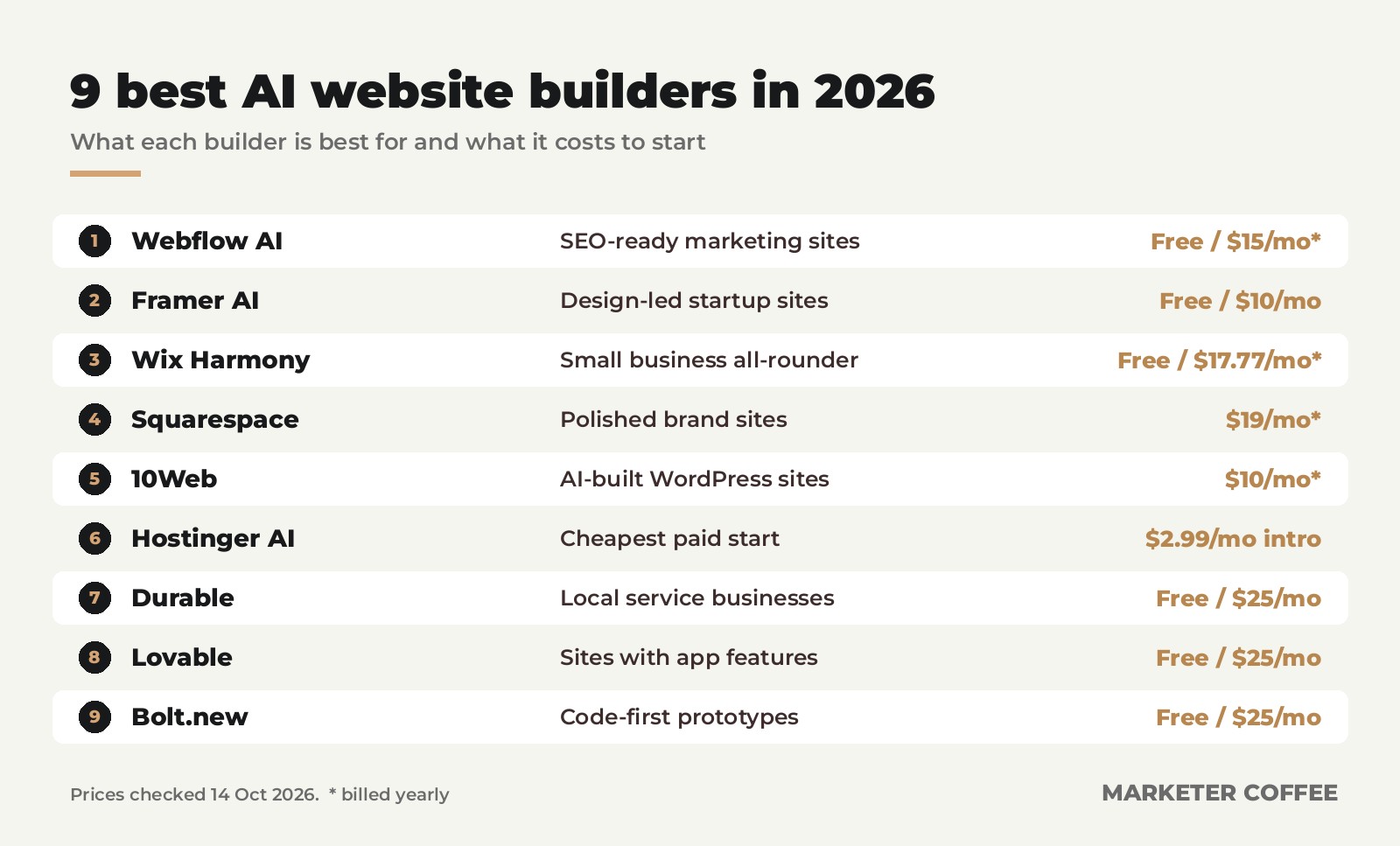
The nine tools are ranked by how good a website each produces for a business that wants search traffic, not by how impressive the first prompt looks.
| Tool | Best for | Starting price | Free option |
|---|---|---|---|
| Webflow AI | SEO-ready marketing sites | $15/mo, billed yearly | Free plan |
| Framer AI | Design-led startup sites | $10/mo | Free plan |
| Wix Harmony | Small business all-rounder | $17.77/mo, billed yearly | Free plan |
| Squarespace | Polished brand and portfolio sites | $19/mo, billed yearly | 14-day trial |
| 10Web | AI-built WordPress sites | $10/mo, billed yearly | Free to start, 30-day refund |
| Hostinger AI Builder | The cheapest paid start | $2.99/mo intro, 48-month term | 14-day trial |
| Durable | Local service businesses | $25/mo | Free preview |
| Lovable | Sites with app features | About $25/mo (Pro) | Free plan |
| Bolt.new | Code-first prototypes | $25/mo | Free plan |
1. Webflow AI
Webflow is the builder I would choose for a SaaS or B2B marketing site, and its AI makes it easier to start without losing what made it good. The AI site builder generates a full site with a proper design system from a prompt. The AI Assistant writes and edits copy, creates CMS items and designs new sections, and a sitewide audit suggests SEO and AEO fixes, which is Webflow’s term for optimizing for AI answer engines.
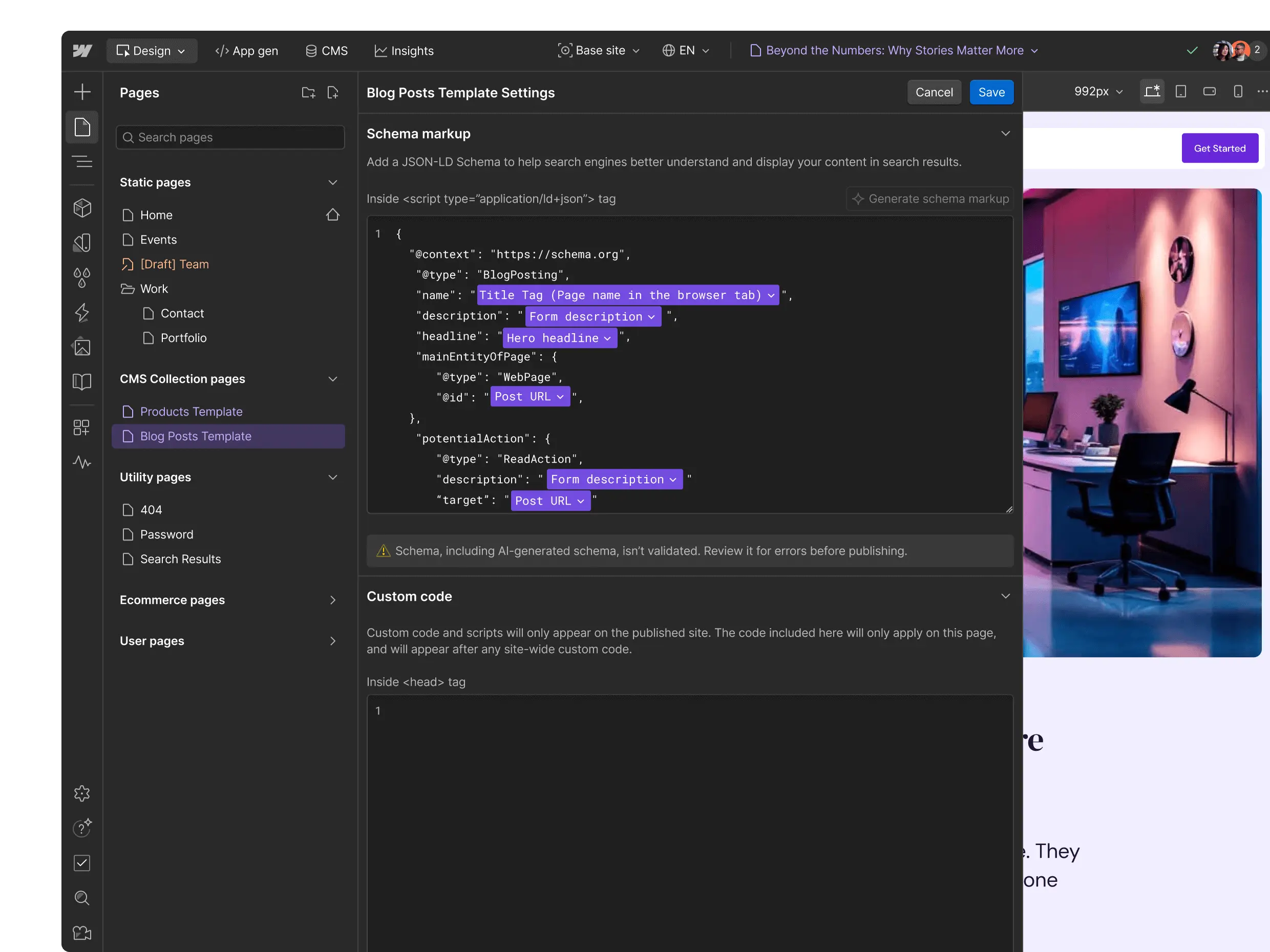
The SEO foundation is the strongest on this list. Pages are served as clean HTML, you control titles, meta descriptions, canonicals, 301 redirects, alt text and schema per page or per CMS template, and the sitemap is generated automatically. Webflow also has an MCP server, so an AI assistant like Claude can read and edit a site’s content directly.
The learning curve is real once you go beyond what the AI drafted. Webflow thinks in boxes, classes and CSS, and a marketer without that background will lean on a designer for anything structural. Team features need a separate Workspace plan on top of the site plans, and Basic at $15 a month has no CMS, so most content sites need Premium at $25.
2. Framer AI
Framer turned its AI into an agent this year. It creates and edits pages, sections, copy and visuals on the canvas, builds custom code components, fills CMS collections and, before you publish, reviews the site for contrast problems, typos, missing alt text and SEO gaps. External coding agents such as Claude Code, Cursor and Codex can connect to Framer too.
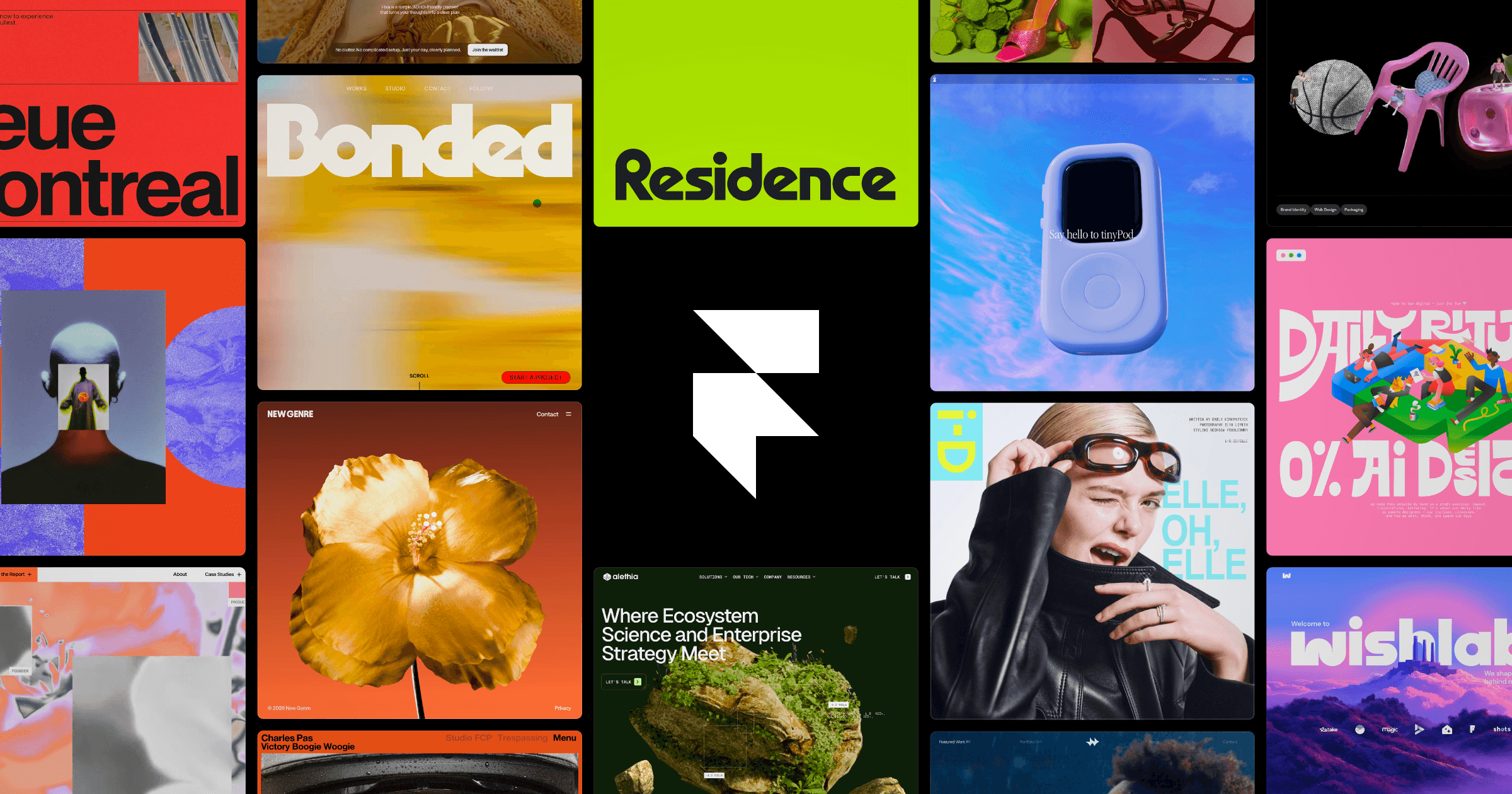
The output is the best looking of any tool here, and it is served as static HTML that crawlers read without trouble. Redirects, sitemaps and per-page meta tags are built in. Structured data and fine-grained technical control are thinner than in Webflow, which is why I rank it second for SEO-driven sites.
Credits are the thing to watch. AI work runs on a monthly credit pool, Basic includes 1,000 credits and Pro 3,000, and AI translation costs $20 per locale. The pricing page shows several credit tiers per plan, so a busy team can spend well above the headline price. Pick Framer if design quality is the selling point and the site is mostly a handful of pages and a blog.
3. Wix Harmony
Wix Harmony, launched in January 2026, replaces the old Wix ADI with a builder that mixes prompt-based generation and drag-and-drop editing. Its AI agent, Aria, builds whole sites, pages or sections from a description, changes colour palettes, redesigns layouts and flags problems as you work. Commerce, bookings, courses and payments are built into the same platform.
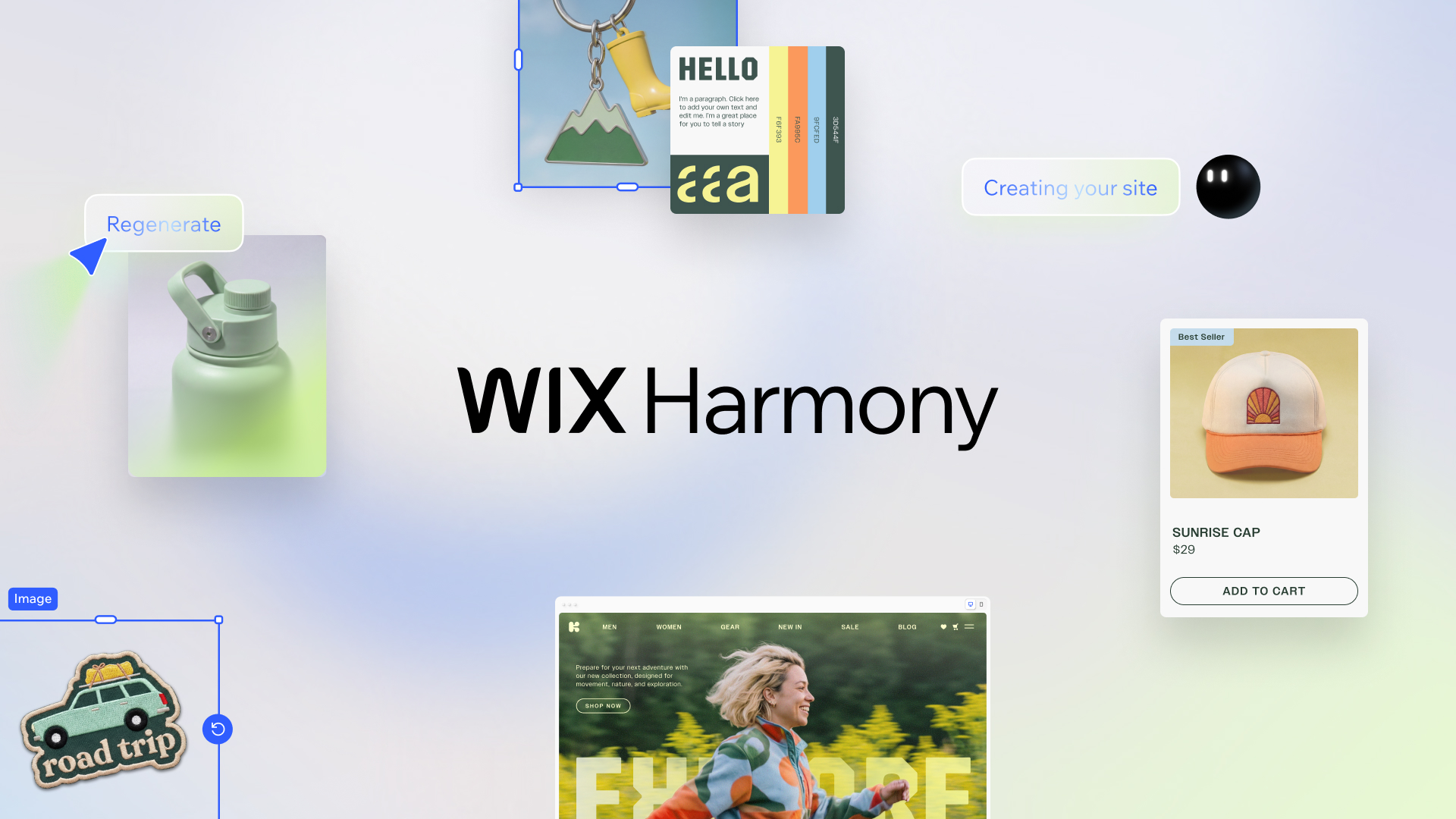
Wix’s SEO reputation is better than it was five years ago. Pages are server-rendered, and you get control over titles, canonicals, redirects, robots settings and structured data, plus a setup checklist that walks beginners through the basics. What is still weaker is page speed on heavy sites and the way Wix’s own scripts add weight to every page.
The plans page shows yearly prices from $17.77 a month for Light, and you need Core at $29.77 to accept payments. Prices vary by country. Pick Wix if you run a local business, a small shop or a booking-based service and want one login for all of it.
4. Squarespace
Squarespace’s AI comes in two parts. Blueprint AI builds a site from designer-made templates that adapt to your industry and goals, and since late 2025 it can also run as a conversation, including inside ChatGPT. Beacon AI works across the platform, writing product descriptions and FAQ pages, scanning titles, descriptions and alt text for SEO fixes, and showing how your site appears in AI-driven traffic.
That last point is unusual. Every paid plan now includes a monthly allowance of AI Visibility prompt runs, from 10 one-time runs on Basic to 120 a month on Advanced, so a small business can see whether AI assistants mention it without buying a separate tool. Squarespace is the only website builder here that ships this inside its standard plans.
The design system that makes Squarespace sites look good also limits them. Templates are opinionated, structured data and technical SEO controls are basic, and large content sites outgrow it. Check the pricing page for AI credit limits by plan.
5. 10Web
10Web generates a site with AI and delivers it as a full WordPress install on managed hosting. You edit it visually or by chatting with its AI Co-Pilot, and because it is WordPress underneath, you can install any SEO plugin, move hosts later or hand it to any WordPress developer. 10Web also advertises an automated 90+ PageSpeed score.
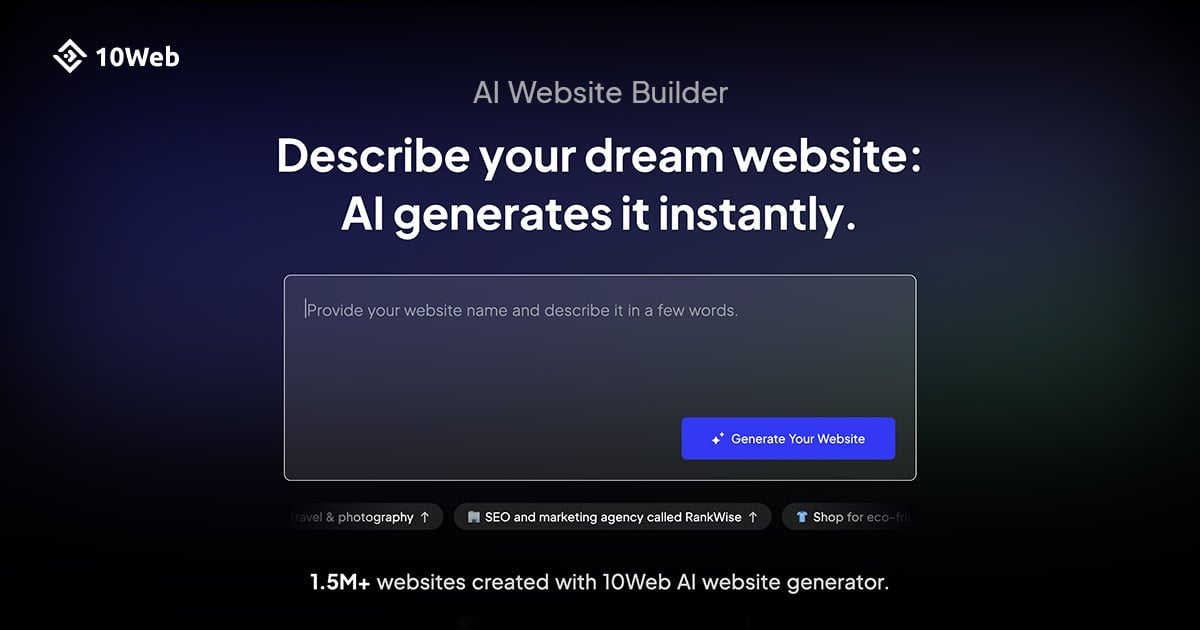
That portability is the main reason it is here. Most AI builders lock your site into their platform; 10Web gives you the most widely supported CMS on the web. The SEO controls are whatever your SEO plugin provides, which with Yoast or Rank Math is a lot.
The downside is that you also get WordPress maintenance: plugin updates, conflicts and the occasional broken layout. Plans are limited by AI credits and monthly visitors, from 10,000 visitors on Starter. The pricing page lists the yearly offer as $120 for the first 12 months against a regular $240, so check the renewal price.
6. Hostinger AI Website Builder
Hostinger bundles an AI website builder with its hosting at a price nobody else here matches. You describe the site and an agentic mode builds it; you can then switch to a manual drag-and-drop editor. AI Writer, AI Logo Maker, AI image generation and an AI SEO Assistant are included.
The intro price needs reading carefully. $2.99 a month requires paying 48 months up front, and the renewal is $10.99 a month, with the Unlimited plan renewing at $16.99. The SEO tools cover the basics, titles, descriptions, alt text and a sitemap, but there is little for structured data or advanced redirects. The G2 sample is also very small.
For a personal site, a side project or a first small business site where every dollar matters, it is fine. For a business that expects SEO to be a growth channel, the savings disappear the first time you need control the tool does not offer. Plan details are on the website builder page.
7. Durable
Durable is built for plumbers, coaches, cleaners and photographers who need a site this week and do not want to think about it again. It generates a site in about a minute, then adds the business tools a solo operator needs: a simple CRM, online booking, payments, review collection and an AI image studio.

Its marketing leans hard on AI search. The paid plans include what Durable calls advanced SEO and GEO, AI agents that work in the background, and on Grow, competitor analysis and AI search ranking tracking. For a local business, that is a sensible package, because being recommended by ChatGPT or Google’s AI Mode for “plumber near me” increasingly matters.
The control you get is limited, and so is independent evidence: G2 has only two reviews. Design flexibility is narrow, and you cannot export the site to another platform. The pricing page lists Launch at $25 a month and Grow at $49, about 15% less on yearly billing.
8. Lovable
Lovable builds full-stack web apps from a conversation: pages, logins, a database and payments, all as real code you own. For a startup that needs a marketing site and a working product prototype from the same tool, nothing else here comes close.
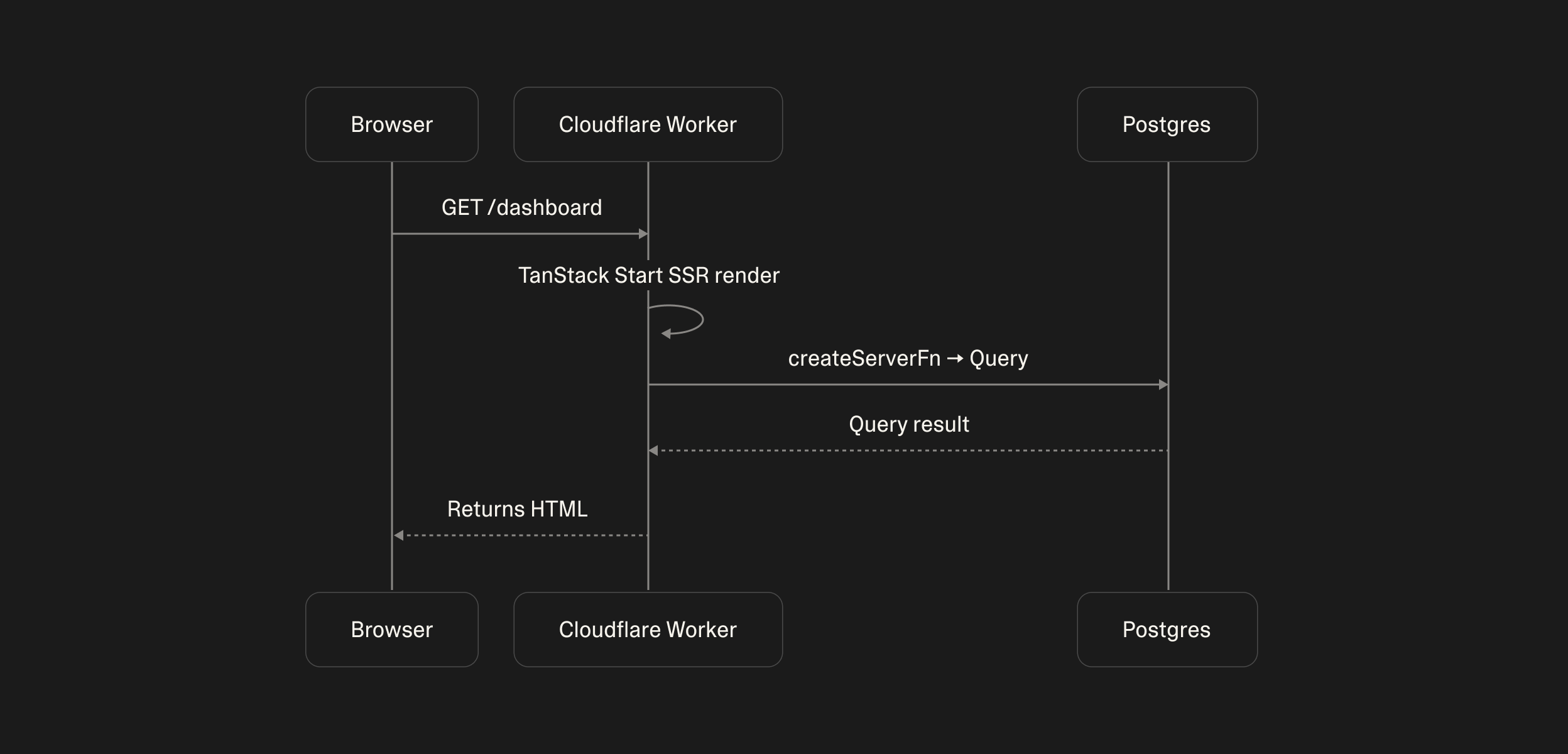
Until this spring, Lovable sites had a serious SEO problem. They were client-side React apps, so crawlers that did not run JavaScript saw an almost empty page. Since 13 May 2026, new projects are built on TanStack Start with server-side rendering, and older projects get pre-rendered pages served to verified search, social and AI crawlers. That fixes the rendering part. Titles, canonicals, sitemaps, redirects and schema are still code, so they are only as good as your prompts and your review.
Credits drive the cost. The pricing page did not load its plan figures for me; a June 2026 pricing guide lists Pro from $25 a month with 100 credits, rising with usage. Pick Lovable when the site has to do something, not just say something, and check every page in Search Console’s URL Inspection before you launch.
9. Bolt.new
Bolt.new is the most developer-oriented tool here. It writes code in a full development environment in your browser, supports several frameworks, and lets you deploy with hosting and a custom domain on the paid plan. Pro at $25 a month includes 10 million tokens with rollover and an option the pricing page calls “SEO boosting”.
For SEO, Bolt is a blank page. Whether the site renders on the server, has proper metadata or produces a sitemap depends on the framework you pick and the code it writes. In the hands of a developer who asks for Next.js or Astro with static generation, the result can be excellent. In the hands of a marketer who accepts the default, it can be invisible to AI crawlers.
The free plan caps tokens at 300,000 a day and adds Bolt branding. The pricing page lists Teams at $30 per member. I would use Bolt to prototype, and move anything that needs organic traffic to a platform with SEO built in.
Which AI Website Builder Is Best for SEO?
Webflow is the best AI website builder for SEO, followed by Framer and Wix, because all three serve crawlable HTML and give you control over the technical basics without writing code.
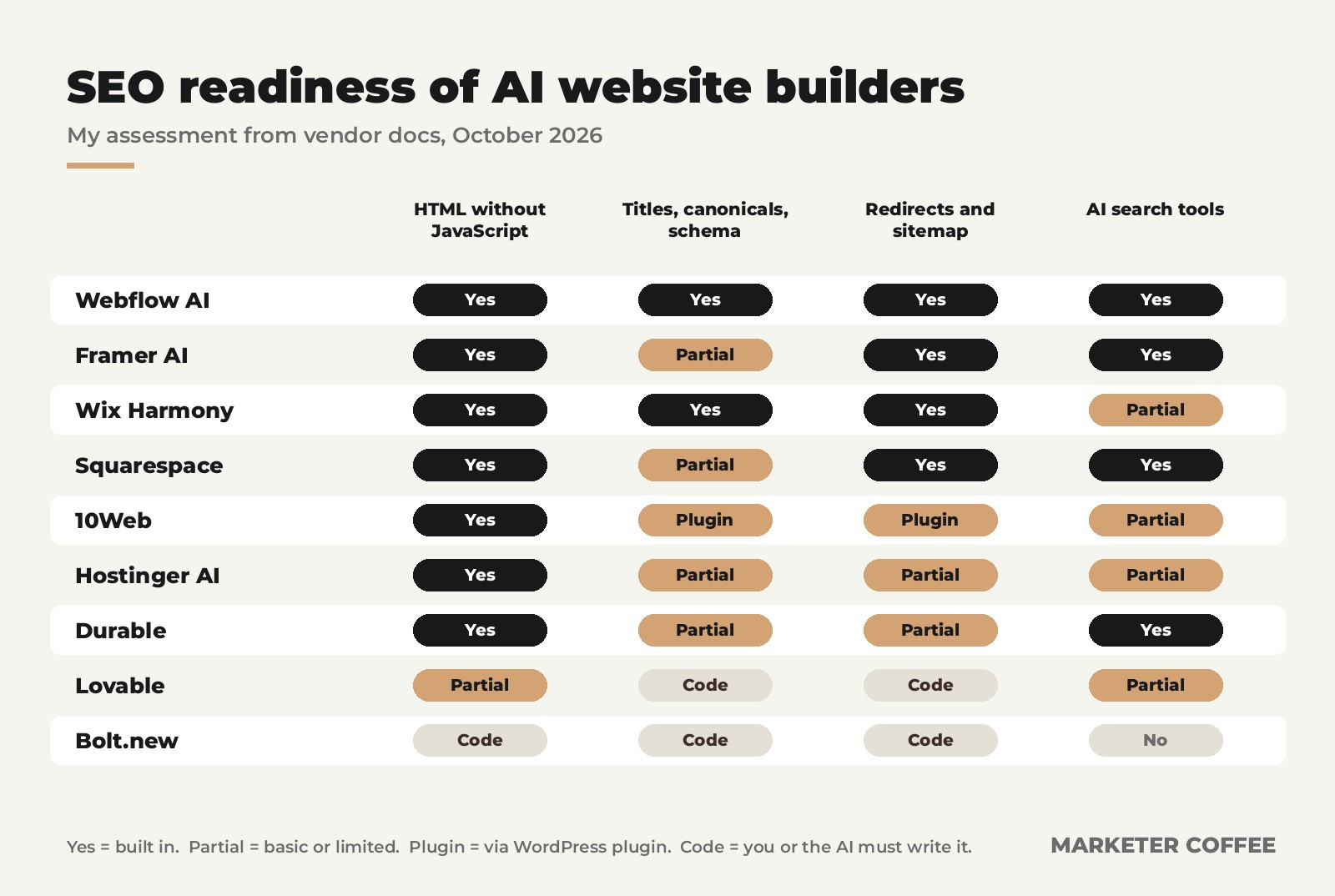
The test I would run on any AI-built site before launch is short. Open a page with JavaScript disabled, or use Search Console’s URL Inspection, and confirm the text is there. Check that every page has its own title, description and canonical. Confirm the sitemap exists and that old URLs redirect. Then add the site to Search Console and watch indexing for two weeks. The method I use for tracking it afterwards is in Measuring SEO: How to track SEO results?, and the tools that help are in the best SEO tools in 2026.
Can an AI-Built Website Rank in Google and AI Answers?
Yes, an AI-built website can rank as well as any other, as long as the pages are crawlable and the content is genuinely useful; the builder does not decide rankings, the pages do.
Where AI builders cause trouble is the content they write. A site generated in a minute tends to have generic copy that says what every competitor says, and neither Google nor an AI assistant has a reason to cite it. Use the AI for structure and first drafts, then replace the copy with specifics only you can write: prices, cases, processes, opinions. How AI assistants choose what to cite is covered in LLM SEO, and if you also run campaign pages, the best landing page builders covers the tools built for that job.
What Is the Best Free AI Website Builder?
The best free AI website builder is Framer for design-led sites and Wix for small businesses, since both offer a free plan with their full AI builder, though only on their own subdomain.
Webflow’s free Starter plan is limited to two static pages, Lovable’s free plan gives about five credits a day, and Bolt’s free plan adds its branding. None of the free plans support a custom domain, so treat them as a way to test the builder, not to run a business site.
FAQ: AI Website Builders
Short answers to the questions people ask most before letting AI build their site.
What is the best AI website builder overall?
Webflow is the best AI website builder overall for businesses that want search traffic, thanks to its AI site builder, clean HTML output and full control over technical SEO. Framer is the better choice when design is the priority.
Are AI website builders good for SEO?
The platform-based ones are. Webflow, Framer, Wix and Squarespace serve crawlable HTML and give you control over titles, redirects and sitemaps. Prompt-to-code tools like Lovable and Bolt.new can be SEO-friendly too, but only if the generated code handles rendering and metadata correctly.
Can I move a site built with an AI builder to another platform?
Usually not easily. 10Web gives you a standard WordPress site and Lovable and Bolt.new give you the code, so those can move. Sites on Wix, Squarespace, Durable, Framer and Hostinger have to be rebuilt elsewhere if you leave.
How much does an AI website builder cost?
Most AI website builders cost between $10 and $30 a month for a site with a custom domain. Hostinger is cheaper on its introductory 48-month term, and AI credit limits can push the real cost of Framer, Lovable and Bolt.new higher if you edit heavily.
Is Wix Harmony the same as Wix ADI?
No. Wix Harmony, launched in January 2026, replaces the older ADI approach with an AI agent called Aria that builds and edits sites from prompts, combined with full drag-and-drop editing in the same editor.
Get an AI-Built Site Found
An AI builder can give you a good-looking site in an afternoon. Getting that site cited by Google and by AI assistants takes a plan: the right pages, content with real substance, clean technical foundations and links from places that matter. That is the work we do at Marketer Coffee, a Poland-based SEO agency for SaaS and ecommerce brands in the US, UK and Europe, at rates 40% to 60% below comparable US and UK agencies, starting with a free preliminary audit and a 90-day plan.
See the details in SaaS SEO Services, Ecommerce SEO Services or International SEO Services. For proof that a new site can grow without heavy link building, the Planika Fires case study went from an unindexed domain to 1,052 monthly US visits with seven articles.
Written by Adrian Dąbrowiecki, founder of Marketer Coffee and SEO consultant with 7+ years in SaaS and ecommerce. Prices checked on each vendor’s pricing page on 14 October 2026; the Lovable figure comes from eesel AI’s pricing guide (June 2026) because Lovable’s page did not display plan prices. Ratings: G2. SEO readiness is my assessment from vendor documentation. Sources: Wix, Harmony launch (January 2026); Lovable, Building apps using TanStack Start (June 2026); TechRadar on Squarespace Refresh 2025. Screenshots belong to their respective vendors. No affiliate links.