
How does a widget work?
A widget works as a mini application embedded in a larger environment that displays live data or a single action without opening a full app. On a website it is usually a snippet of JavaScript or an iframe supplied by an external provider. On a phone it is a resizable tile on the home screen that pulls data from its parent app.
Every widget has three parts: a host (web page, desktop or home screen), a data source (the provider’s server or app) and a small interface the user sees and taps.
History of widgets
Widgets evolved from desk accessories in early operating systems to the home screen cards we use today.
| Year | Milestone |
|---|---|
| 1997 | Trivia Blitz by Uproar.com, the first known web widget, embedded on 35,000+ sites |
| 2006 | W3C publishes the first public working draft of Widgets 1.0 (9 November) |
| 2007 to 2008 | Widget apps spread on MySpace and Facebook |
| 2009 | Android 1.5 Cupcake adds home screen widgets (27 April) |
| 2020 | iOS 14 brings resizable widgets and Smart Stack to the iPhone (announced 22 June) |
Types of widgets
Widgets fall into four main types by where they live: web, mobile, desktop and GUI controls.
Web widgets
Web widgets add third-party features to a page with a short embed code: live chat, review badges, social feeds, booking calendars, maps or cookie consent banners.
Mobile widgets
Android Developers documentation names four kinds: information widgets (weather, clock), collection widgets (photos, emails), control widgets (smart home toggles) and hybrids that combine them.
Desktop widgets
Desktop widgets show single-purpose tools such as a calendar or calculator, from Apple Dashboard and Windows Vista gadgets to today’s Windows and macOS widget panels.
GUI widgets
Developers also call basic interface controls widgets: buttons, check boxes, sliders and dialog boxes.
Widgets in marketing and SEO
Widgets help marketing because they add trust signals and contact options exactly where the visitor decides. A review widget near the price, a live chatbot on the pricing page or a booking calendar on a service page can lift conversion without a redesign.
The SEO side needs care, because most web widgets load external JavaScript:
- Performance: heavy chat and consent scripts slow the page. Since March 2024 Google measures responsiveness with Interaction to Next Paint (INP), where a good score is 200 milliseconds or less.
- Indexing: content injected by a widget may not appear in the HTML Google renders, so key text (reviews, prices) belongs in your own markup.
- Links: widgets that place a link back to the provider on thousands of sites can look like a link scheme; such links should carry rel=”nofollow”.
- Privacy: tracking widgets often require consent under GDPR before they load.
The HTTP Archive Web Almanac 2024 shows how common this is: the median top-1,000 site loads 66 third parties, and consent, video and customer service tools are the most frequent categories. Widget audits are a standard step in my e-commerce SEO work and part of every mobile SEO review.
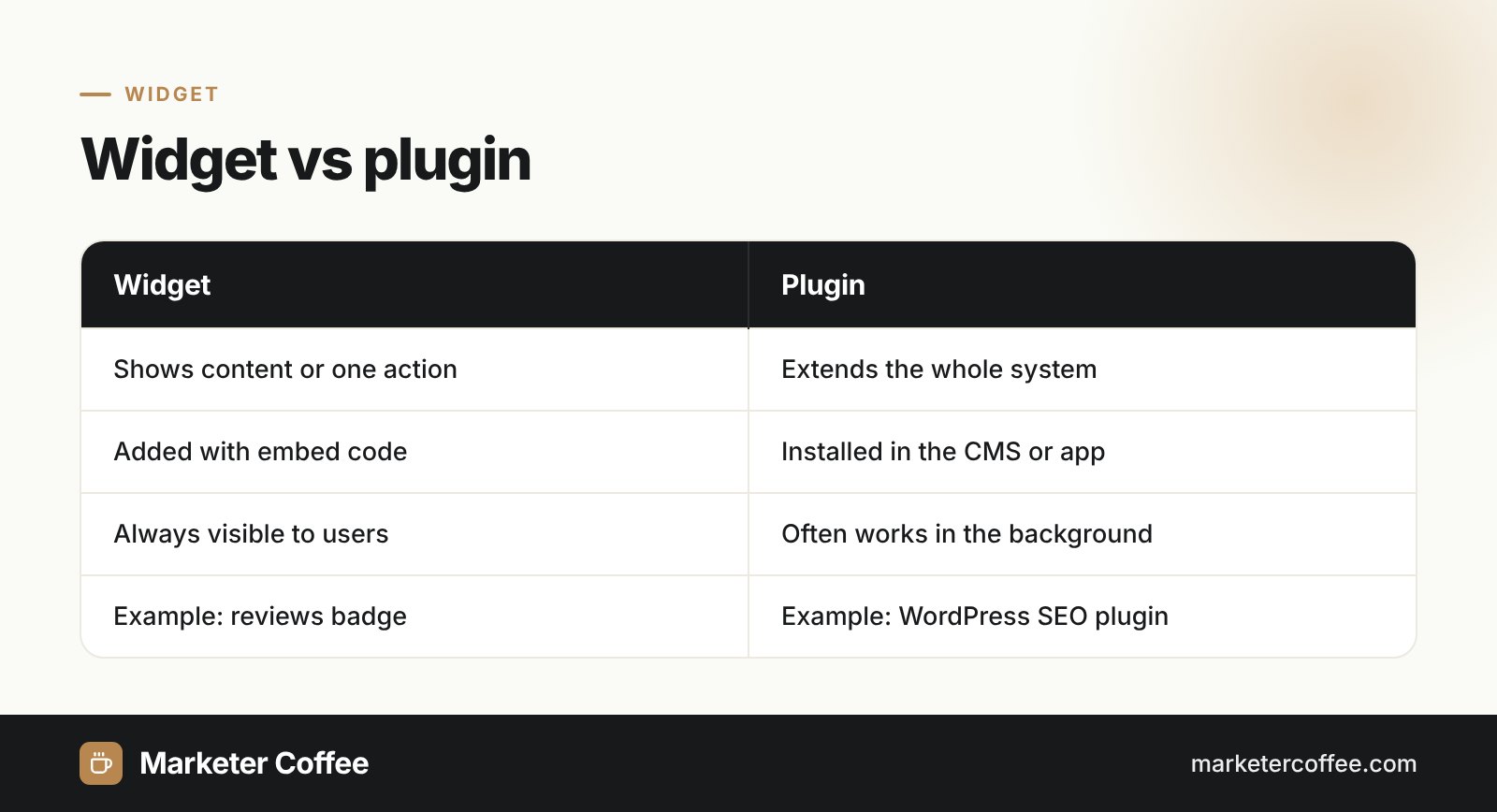
Widget vs plugin
A widget and a plugin (for example a CRM integration) are related, but they play different roles.
| Aspect | Widget | Plugin |
|---|---|---|
| Role | Shows content or one action in a visible area | Extends the functions of the whole system |
| Installation | Embed code, drag and drop | Installed in the CMS or app |
| Example | Google reviews badge | WordPress SEO plugin |
| Visible to users | Always | Sometimes |
Frequently asked questions about Widget
What is an example of a widget?
A weather tile on a phone home screen, a live chat bubble on a website and a Google reviews badge are typical widgets. Each shows one type of information or one action without opening a full app.
What is the difference between a widget and an app?
An app is a complete program with many functions, while a widget is a small view of one function or data set. Most mobile widgets belong to an app and open it when tapped.
Do widgets slow down a website?
Widgets slow a website down when they load heavy third-party JavaScript on page load. Lazy loading and limiting the number of widgets keep Core Web Vitals such as INP within Google's thresholds.
Are widgets bad for SEO?
Widgets are not bad for SEO by default, but slow scripts, content Google cannot render and unmarked backlinks can hurt rankings. Keep important text in your own HTML and audit widget performance regularly.
Related terms
- Software widget · Wikipedia
- App widgets overview · Android Developers (Google)
- Apple reimagines the iPhone experience with iOS 14 · Apple Newsroom
- Web Almanac 2024: Third Parties · HTTP Archive
- Interaction to Next Paint becomes a Core Web Vital · web.dev (Google)