
What does a title tag look like?
A title tag is a single title element placed inside the head section of an HTML document. It looks like this:
- <head>
- <title>Running shoes for women | ShopName</title>
- </head>
Browsers show it in the tab, social platforms and messengers often reuse it in link previews, and Google uses it to build the title link, the blue clickable headline of a result. It is not the same as the H1, which is the visible heading on the page, although the two should describe the same topic.
How does Google create title links?
Google creates title links automatically from several sources, with the title element as the main one. Google Search Central lists these sources:
- Content of the title element
- The main visual title and heading elements such as the H1
- The og:title meta tag
- Other large, prominent text on the page
- Anchor text on the page and in links pointing to the page
- WebSite structured data (for the site name)
Google rewrites a title when it detects a problem, and it cannot change title links manually for individual sites. Changes appear after a recrawl, which takes a few days to a few weeks.
How long should a title tag be?
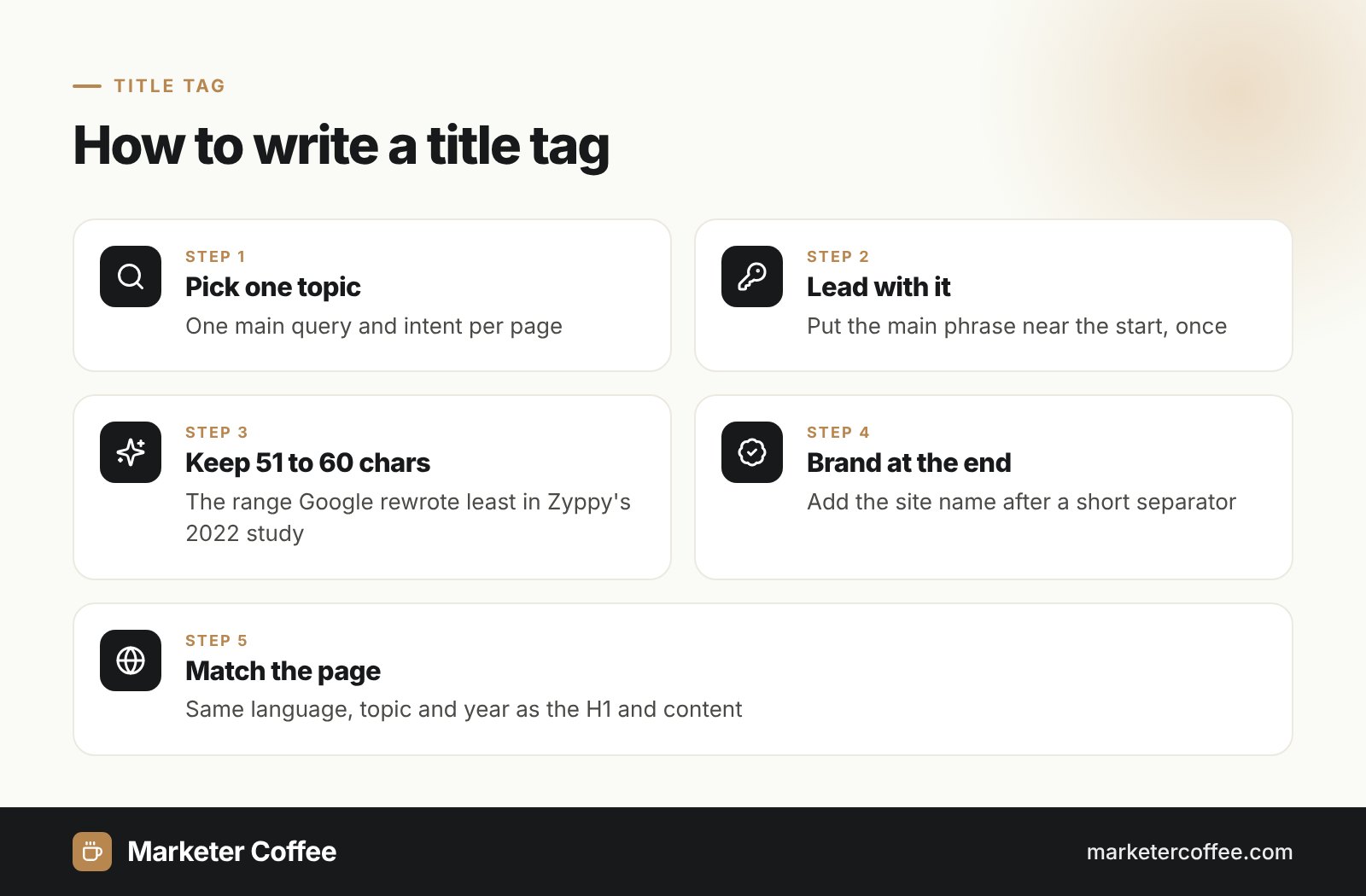
Google sets no character limit for the title element, but it truncates title links to fit the device width. Independent data helps: Zyppy analysed 80,959 titles from 2,370 sites in early 2022 and found that Google rewrote 61.6% of them. The lowest rewrite rate, 39 to 42%, applied to titles of 51 to 60 characters, while titles over 70 characters were rewritten 99.9% of the time.
| Title length | Rewrite rate (Zyppy, 2022) |
|---|---|
| 1 to 5 characters | 96.6% |
| 51 to 60 characters | 39 to 42% (lowest) |
| over 60 characters | over 76% |
| over 70 characters | 99.9% |
Title tag best practices
A good title tag is unique, descriptive and written for the click, with the main topic first. These rules follow Google’s guidance and my audit experience:
- Write a distinct title for every indexable page, never “Home” or a boilerplate that changes one word.
- Put the main query near the start, once, without stuffing.
- Add the brand at the end after a separator, kept short.
- Match the visible H1 and the content, including dates and years.
- Keep it in the same language and script as the page content.
Duplicate titles across many URLs are also a quick way to spot keyword cannibalization in a crawl. The title works together with the meta description to win the click, so both affect CTR.
Title tags on multilingual sites
On international sites the title tag must be written in the language of the page, not copied from the source market. Google lists language or script mismatch as a common reason for rewriting: an English title on a German page often gets replaced with German text pulled from the H1. In expansions into the Czech Republic and Germany I see 3 recurring errors: untranslated titles from the CMS template, translated titles that ignore local keywords, and the same brand suffix in the wrong language. Each language version linked through hreflang needs its own title built from local keyword research.
Titles matter in AI search too: AI Overviews, ChatGPT and Perplexity show page titles in their citations, so a clear title in the user’s language increases the chance of the click after a citation.
Title tags are the first item in my on-page SEO guide and in every SEO audit. For multi-market sites see my international SEO consultancy.
Frequently asked questions about Title tag
Is the title tag a ranking factor?
Yes, Google uses the title element to understand what a page is about, and it is the main source of the title link users click. A clear title helps both relevance and click-through rate.
What is the ideal title tag length?
Google sets no character limit, but it truncates titles to fit the screen width. Zyppy's 2022 study found the lowest rewrite rate for titles of 51 to 60 characters.
Why does Google change my title?
Google rewrites titles that are missing, too long, stuffed with keywords, outdated, identical across pages or in a different language than the content. It then uses the H1, other headings or anchor text instead.
What is the difference between a title tag and an H1?
The title tag sits in the HTML head and appears in the browser tab and search results, while the H1 is the visible main heading on the page. They can differ in wording but should describe the same topic.
Related terms
- Influencing your title links in search results · Google Search Central
- Google explains why it made the title change to the search results · Search Engine Land
- More information on how Google generates titles for web page results · Google Search Central Blog
- Google Rewrites 61% of Page Title Tags [SEO Study] · Zyppy