
How does indexing work?
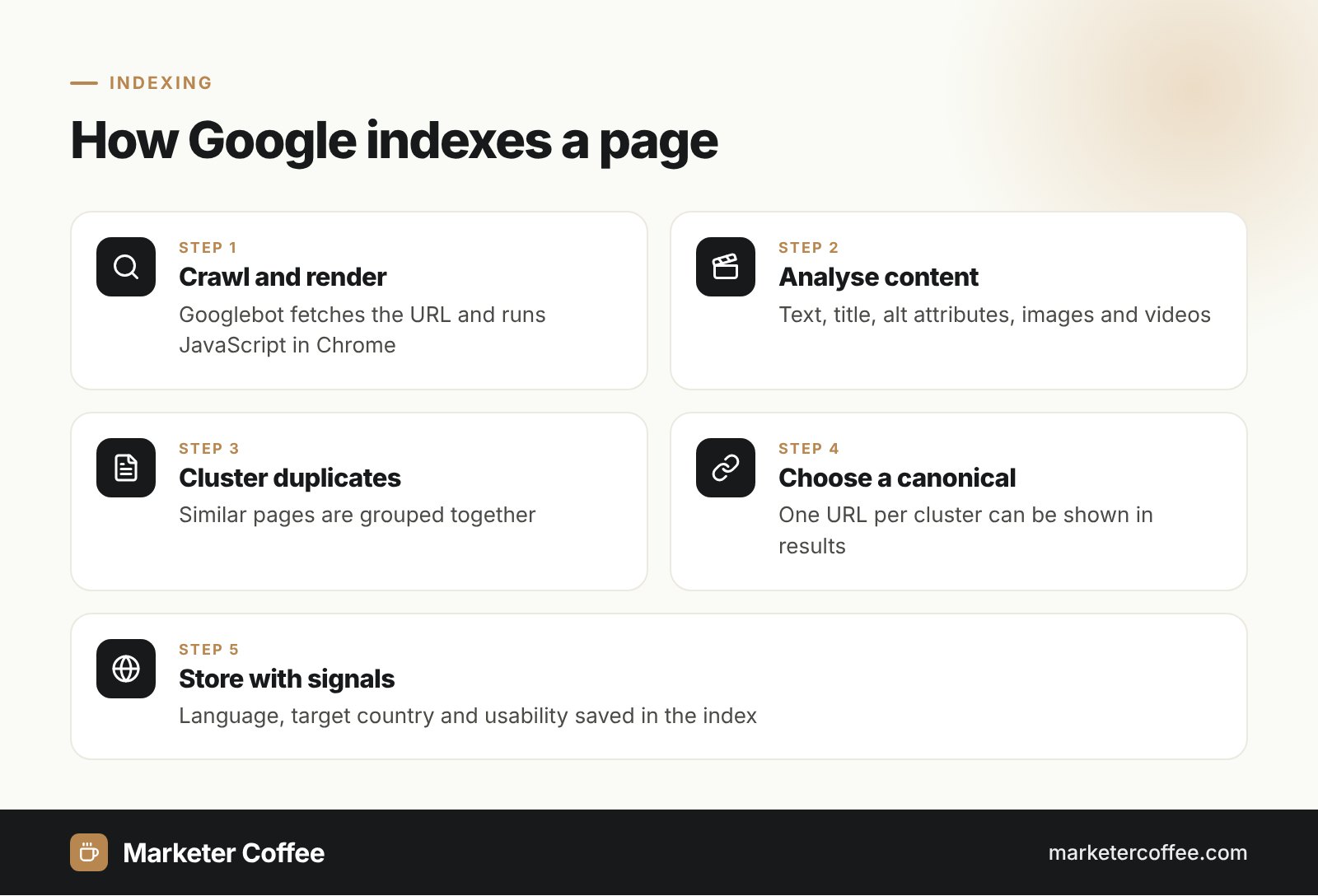
Indexing works by analysing a page’s content, grouping duplicates and choosing one canonical URL to store with its signals. After crawling and rendering, Google processes the text, key tags such as the title element and alt attributes, images and videos. According to Google Search Central, indexing includes these steps:
- Analyse the content and key HTML elements of the page.
- Cluster pages with the same or very similar content.
- Select a canonical page from each cluster, the one that may be shown in results.
- Collect signals about the canonical: its language, the country it targets and its usability.
- Store the result in the Google index for the serving stage.
Crawling vs indexing vs ranking
Crawling, indexing and ranking are 3 separate stages, and a page can stop at any of them:
| Stage | What happens | Typical blocker |
|---|---|---|
| Crawling | Googlebot discovers and downloads the URL | robots.txt, server errors, no links to the page |
| Indexing | Google analyses and stores the canonical page | noindex, duplicates, low quality |
| Serving (ranking) | Google picks the most relevant indexed pages for a query | Weak relevance or authority |
A URL blocked by robots.txt can still be indexed without its content when Google finds links to it elsewhere. To keep a page out of the index, allow crawling and add a noindex directive instead.
Common indexing statuses in Search Console
The Page indexing report in Google Search Console shows which URLs are indexed and the exact reason for every excluded URL. The most frequent statuses I see in audits:
Crawled, currently not indexed
Google fetched the page but did not add it to the index. It may still be indexed later. On e-commerce sites this status usually points to thin product variants or filtered category pages.
Discovered, currently not indexed
Google knows the URL but postponed crawling it, often to avoid overloading the server. On large sites this signals limited crawl budget or weak internal linking.
Duplicate statuses
“Duplicate without user-selected canonical” and “Google chose different canonical than user” mean Google grouped the page with others and indexed another URL. Check the chosen canonical with the URL Inspection tool.
How to get pages indexed faster
Pages get indexed faster when they are linked internally, listed in an XML sitemap and worth indexing. Google offers 2 official ways to request crawling: the URL Inspection tool for single URLs (with a daily quota) and an XML sitemap for many URLs. Google says crawling can take from a few days to a few weeks, and repeated requests for the same URL do not speed it up. The Google Indexing API is limited to pages with JobPosting or livestream BroadcastEvent markup, so it is not a general shortcut. Bing, Yandex, Seznam.cz, Naver and others support IndexNow, a protocol that lets you notify them instantly about new, updated or deleted URLs. Google is not listed as a participant.
Indexing on multilingual and multi-country sites
On international sites indexing decides whether every language version exists in Google at all. Google treats translated pages as separate pages, but it treats them as duplicates when only the template is translated and the main content stays in one language. In that case it indexes one version and drops the others, and the hreflang set breaks. Other common causes I find on expansions into Germany and the Czech Republic: a canonical on every language version pointing to the English page, automatic IP redirects that hide versions from Googlebot (which crawls mostly from the US), and new markets missing from the sitemap. Check indexing per market by adding each language folder or subdomain as a separate Search Console property.
Pages missing from Google in one of your markets? An SEO audit or my international SEO consultancy finds the cause.
Frequently asked questions about Indexing
How long does Google take to index a page?
Google says crawling can take from a few days to a few weeks. Strong internal links and an up-to-date XML sitemap help new pages get discovered sooner.
How do I check if a page is indexed?
Use the URL Inspection tool in Google Search Console for an exact answer. The site: operator in Google gives only a rough picture and misses some indexed URLs.
Why is my page crawled but not indexed?
Google crawled the page but decided not to add it to the index yet, often because the content is thin, duplicated or weakly linked. Improve the content and internal links instead of resubmitting the URL repeatedly.
Does Google support IndexNow?
Google is not listed among IndexNow participants. Bing, Yandex, Seznam.cz, Naver and other engines use it, while Google relies on crawling, sitemaps and the URL Inspection tool.
Related terms
- In-depth guide to how Google Search works · Google Search Central
- Page indexing report · Google Search Console Help
- Ask Google to recrawl your URLs · Google Search Central
- Tell Google about localized versions of your page · Google Search Central
- IndexNow FAQ · IndexNow
- Indexing API quickstart · Google Search Central