
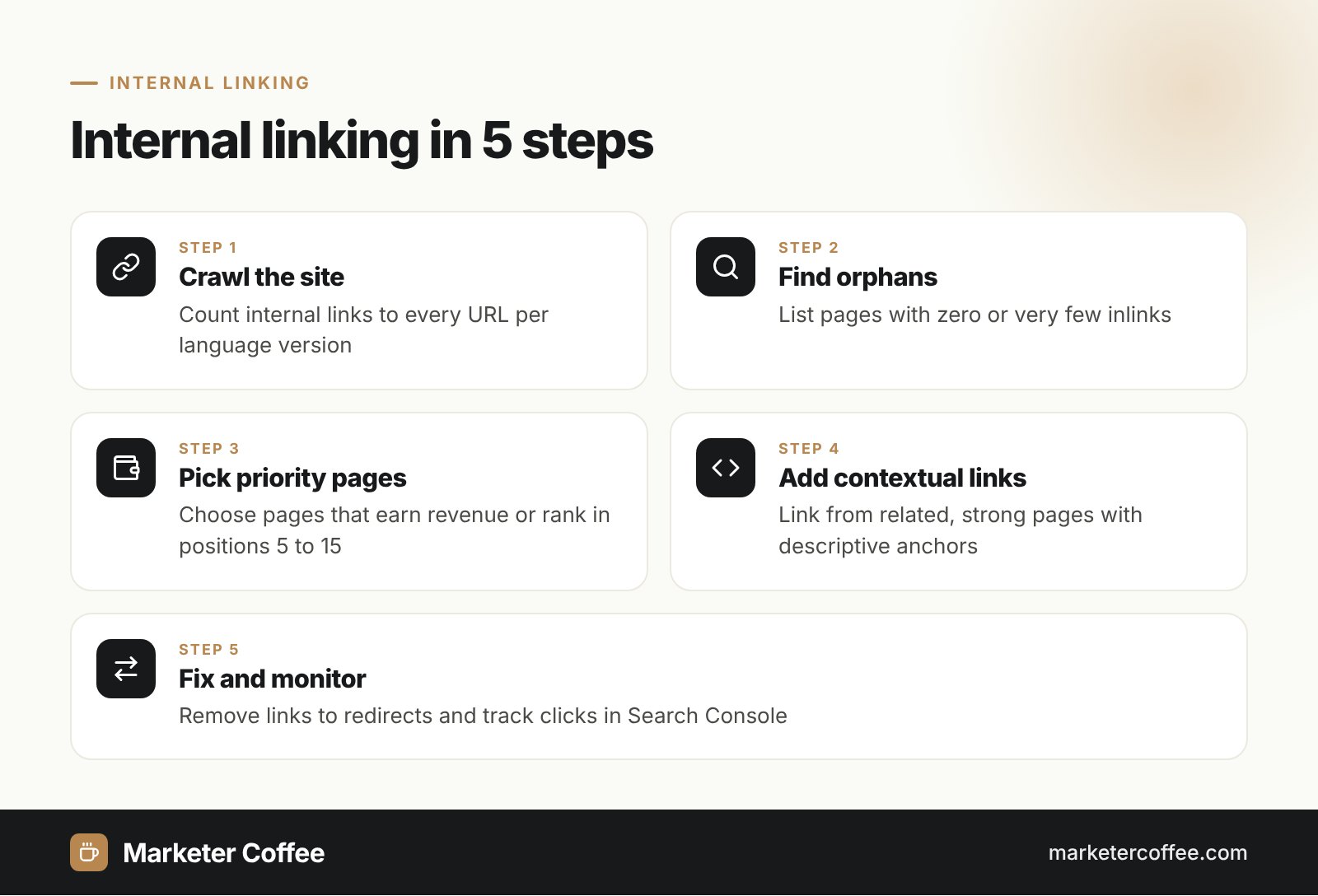
How does internal linking work?
Internal linking works by creating crawlable paths between your pages that pass context, discovery and authority. Googlebot follows links from the homepage to categories, articles and products, and uses the anchor text to understand what each target is about. A page without any internal links (an orphan page) is hard for Google to find even when it sits in the XML sitemap.
Google only reliably follows a elements with an href attribute. Links built with onclick handlers, span tags or JavaScript routes without href may not be parsed. A crawlable link looks like this:
- Crawlable: <a href=”/glossary/hreflang/”>hreflang guide</a>
- Not reliable: <span onclick=”goTo(‘/glossary/hreflang/’)”>hreflang guide</span>
Types of internal links
Internal links fall into four groups by their position on the page. Contextual links carry the most weight for topical relevance, while navigation links ensure coverage.
Navigation links
Menus, mega menus and footers. They appear on every page, so they define your site’s top-level architecture.
Contextual links
Links inside body text, such as the links in this glossary entry. They connect semantically related pages and build topical authority.
Breadcrumbs
Paths like Home > Shoes > Running shoes. They show hierarchy and often appear in search results.
Related content modules
Blocks such as related products or recommended articles, usually generated by the CMS.
Internal linking best practices
Good internal linking follows Google’s guidance on descriptive anchors and contextual relevance:
- Write descriptive anchor text that tells users what they get; avoid “click here”.
- Place links in context, with surrounding text that explains the target.
- Link every important page from at least one other page.
- Point links to the final URL, not to a redirect or a non-canonical version.
- Keep key pages within a few clicks of the homepage.
Google says there is no ideal number of links per page. Zyppy’s data shows URLs with 0 to 4 internal links averaged about 2 Google clicks, while URLs with 40 to 44 links received roughly 4 times that, with traffic dropping again after about 45 to 50 links. Treat this as a correlation, not a rule.
Internal linking on multilingual sites
On multilingual sites, internal links should stay within one language version, with a language switcher as the only bridge. A German category page that links to Polish product pages mixes languages, wastes crawl budget and sends German users to content they cannot read. Google also recommends linking each page to its other language versions so users can choose, which supports your hreflang setup but does not replace it.
In my projects, the most common issue after a new language launch is hard-coded links in templates: the German version still links to /pl/kontakt/ because someone pasted an absolute URL. A crawl filtered by subdirectory finds these in minutes.
| Internal links | External links (backlinks) |
|---|---|
| Within your domain | From other domains to yours |
| Fully under your control | Earned or built through outreach |
| Distribute authority and context | Bring new authority to the site |
| Visible in Search Console Links report (internal) | Visible in Links report (external) |
How to audit internal linking
The Search Console Links report lists your most internally linked pages and which pages link to a given URL, but it is a sample capped at 1,000 rows per table. For a full picture, run a crawler such as Screaming Frog, compare inlinks per URL with your priority pages and fix orphans first. Compare the result with backlinks to see which strong pages can pass value to weaker ones.
Read more in my guide to on-page SEO, or order an SEO audit that includes internal link analysis for every language version, as part of international SEO.
Frequently asked questions about Internal linking
Why is internal linking important for SEO?
Internal links help Google discover pages, understand how they relate and decide which pages matter most. They also guide users to related content, which improves engagement and conversions.
How many internal links should a page have?
Google says there is no ideal number. Link where it helps the reader, and make sure every important page has at least one contextual link from another relevant page.
Should internal links use nofollow?
No. Google's nofollow guidance targets untrusted, paid and user-generated external links. Internal nofollow only stops Google from following paths through your own site.
What is an orphan page?
An orphan page is a page with no internal links pointing to it. Google can find it only through sitemaps or external links, so it is often crawled rarely and ranks poorly.
Related terms
- Link best practices for Google · Google Search Central
- SEO Starter Guide · Google Search Central
- Links report · Google Search Console Help
- Internal Links SEO Study: 23 Million Links · Zyppy (Cyrus Shepard)
- Managing multi-regional and multilingual sites · Google Search Central