
What does Google Search Console do?
Google Search Console reports your site’s clicks, impressions and indexing status in Google Search, and alerts you to problems. It is the only place where Google shows first-party data about how its crawler sees your pages. Google says you do not need to log in every day: it emails you about new issues, and a monthly check is enough for most sites.
Google renamed the product in 2015 because research showed its users were not only webmasters but also small business owners, SEO specialists, marketers and developers. That audience still defines the tool: it serves anyone who cares about visibility in Search.
Key Search Console reports
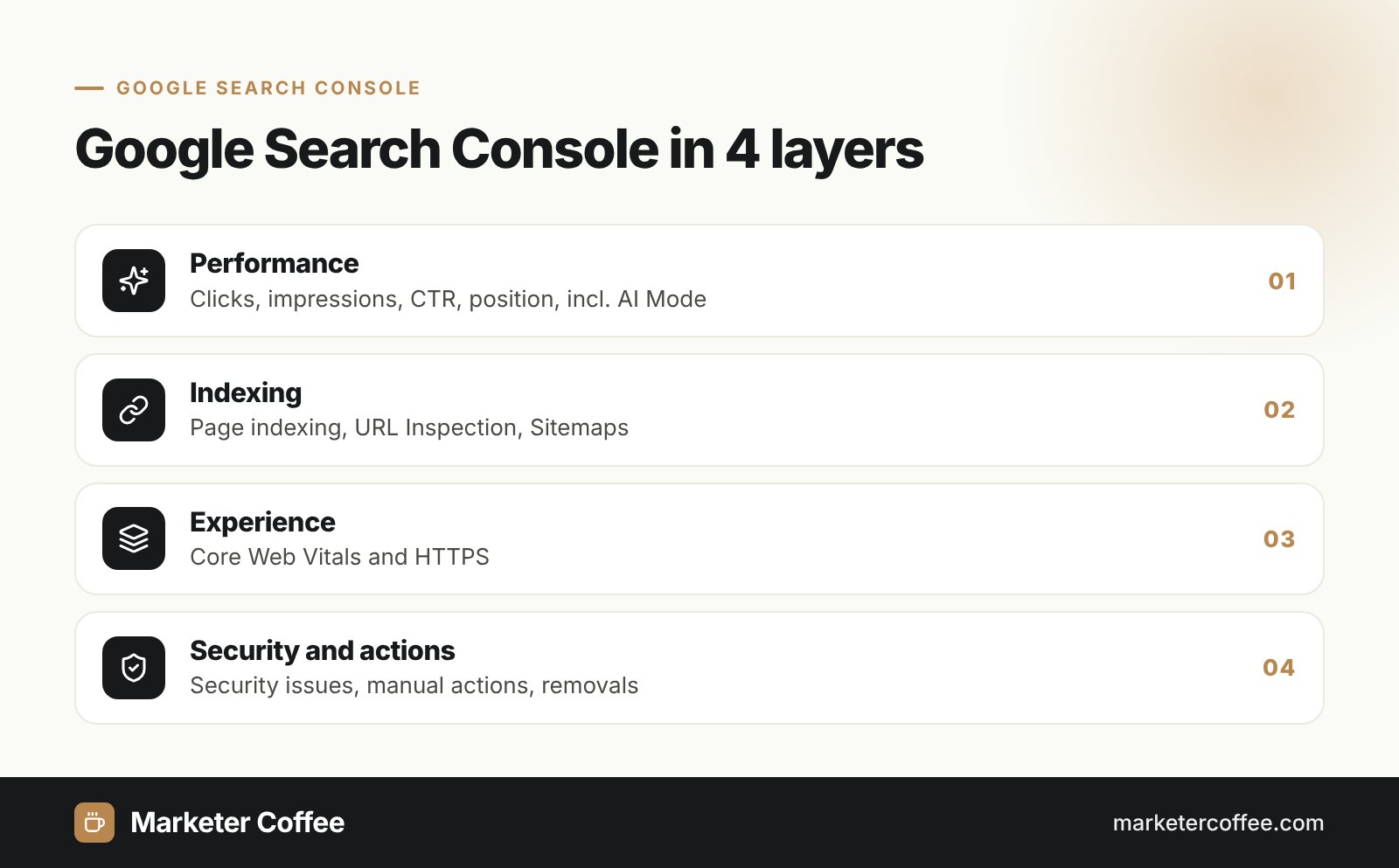
Search Console is organized in layers that move from traffic to indexing to page experience and security. The H3 sections below describe the reports I use most in SEO work.
Performance report
Shows clicks, impressions, click-through rate and average position, broken down by query, page, country, device, search appearance and date. It covers Web, Image, Video and News search. Read about click-through rate to interpret the CTR column correctly.
Page indexing and URL Inspection
The page indexing report lists which pages are indexed and why others are excluded. URL Inspection shows the indexed version of one URL, lets you test the live page and request indexing.
Sitemaps and robots.txt
The Sitemaps report lets you submit and monitor an XML sitemap. The robots.txt report shows which robots.txt files Google found for your hosts and when it last fetched them.
Experience, security and manual actions
The Core Web Vitals report uses real user data. Security Issues and Manual Actions reports warn about hacking or penalties, and the Removals tool hides a URL from results for about 6 months.
| Year | Milestone |
|---|---|
| 2015 | Google Webmaster Tools renamed Google Search Console |
| 2018 | New Search Console with 16 months of performance data |
| 2022 | International Targeting report removed (22 September) |
| 2025 | AI Mode data added to totals; branded queries filter announced |
| 2026 | Branded queries filter available to all eligible sites (11 March) |
Search Console and AI search
Search Console counts AI Overviews and AI Mode inside the regular Web search totals, with no separate filter. According to Google’s help documentation, a click on an external link in an AI Overview counts as a click, the whole AI Overview occupies a single position, and every follow-up question in AI Mode counts as a new query. Data from Search Labs experiments is excluded. In practice this means a rising impression count with a flat click count often reflects AI answers, not lost rankings.
The branded queries filter, announced in November 2025, uses an AI-assisted system to split branded and non-branded queries. It recognizes brand names in several languages and with misspellings, which helps separate brand demand from real SEO growth.
Search Console on multilingual and multi-country sites
For international sites, the most useful setup is one Domain property for the whole site plus one URL-prefix property per market, for example example.com/de/ and example.com/cz/. Each market then gets its own performance, indexing and sitemap data, and you can give local teams or agencies access to their section only. For ccTLDs, every domain needs its own property.
Search Console no longer offers country targeting. Google announced on 24 August 2022 that the International Targeting report would disappear, and it was removed on 22 September 2022. Google pointed site owners to hreflang and its international guidelines instead. I now monitor hreflang health by filtering the Performance report by country and checking which language version receives impressions in each market: German clicks landing on /pl/ pages are the fastest sign of a broken hreflang set.
Search Console data is the base of my guide to measuring SEO results and of every international SEO audit I run.
Frequently asked questions about Google Search Console
Is Google Search Console free?
Yes, Google Search Console is completely free. You only need a Google account and verified ownership of the website.
How far back does Search Console data go?
The Performance report stores 16 months of data. Export it regularly to BigQuery or another tool if you need longer comparisons.
Does Search Console show AI Overviews and AI Mode traffic?
Yes, but not separately. Clicks and impressions from AI Overviews and AI Mode are included in Web search totals, and an AI Overview counts as one position.
What is the difference between Search Console and Google Analytics?
Search Console shows what happens in Google Search before the click: impressions, queries, positions and indexing. Google Analytics shows what users do on your site after they arrive.
Related terms
- How to use Search Console · Google Search Central
- Announcing Google Search Console, the new Webmaster Tools · Google Webmaster Central Blog
- Impressions, position and clicks: AI features in Search Console · Google Search Console Help
- 16 months of Google Search Console data · Yoast
- Google Search Console branded queries filter expands to all eligible sites · Search Engine Land
- Google Search Console to remove International Targeting report · Search Engine Land