

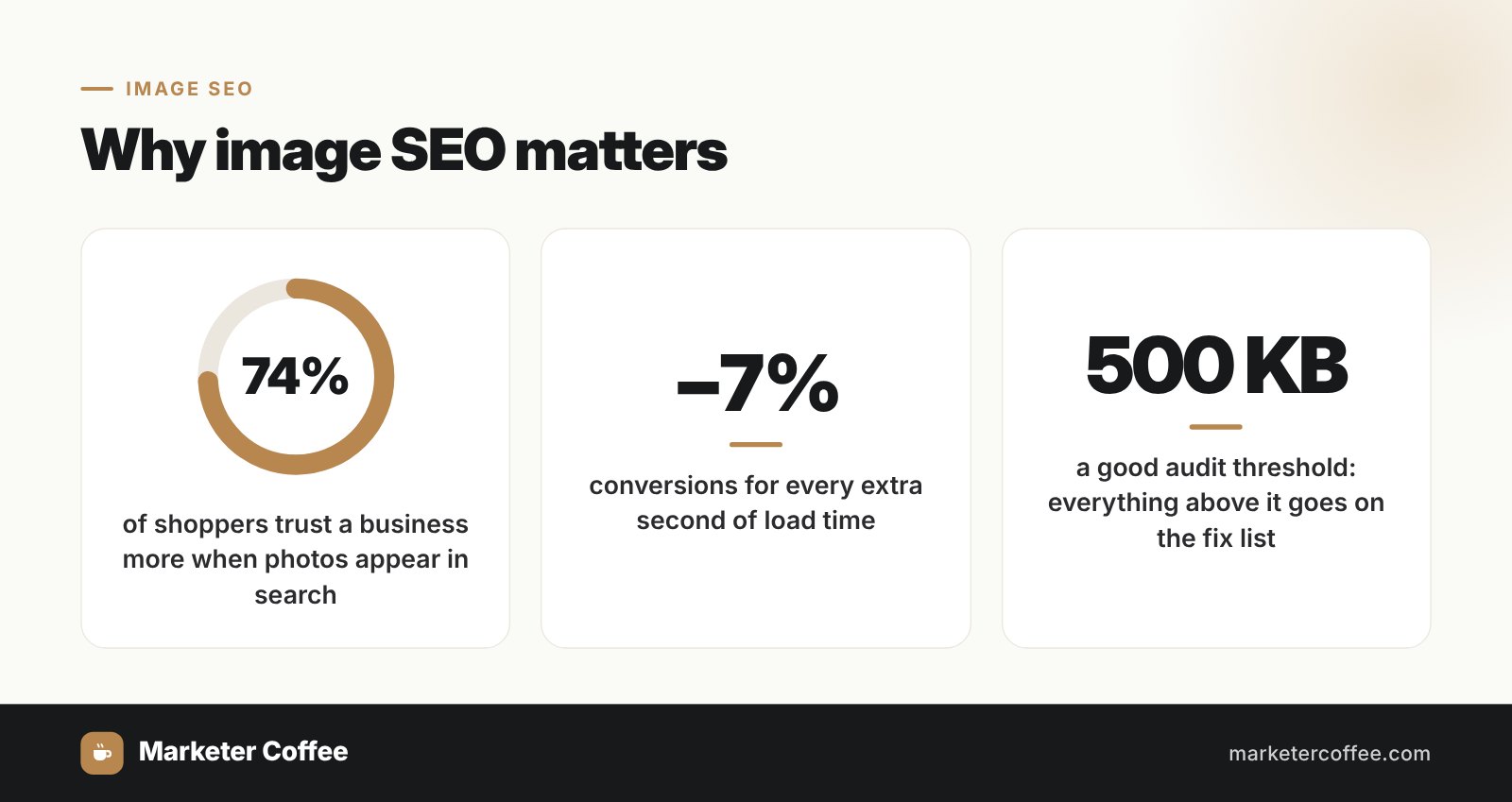
Image SEO is the practice of preparing visuals so they load fast, get understood by search engines and appear in image results. It matters more in commerce than most people assume: Mike Blumenthal of Near Media reports that 74% of shoppers find a business more trustworthy when photos appear in search results, and Google’s own figures put the conversion cost of a single second of load delay at around 7%. Images are usually the heaviest thing on a page, which makes them the fastest route to a Core Web Vitals problem and the fastest route to fixing one. I am Adrian Dąbrowiecki, and I run ecommerce SEO where product photography is both the main asset and the main performance liability. These are the twelve things worth doing.
What Is Image Optimization in SEO?
Image optimization in SEO means preparing images so they load quickly, are discoverable by search engines, and reinforce the relevance of the page they sit on.
It covers format choice, dimensions, compression, descriptive file names, alt text and responsive delivery. The work starts before upload and continues in how the image is served, and both halves matter: a perfectly named image that weighs three megabytes is still a problem.
Why Is Image SEO Important?
Image SEO is important because images influence page speed, user experience, search visibility and accessibility at the same time.
Speed is the direct mechanism. Unoptimized images are the most common cause of a failing Largest Contentful Paint score, and LCP is usually the hero image. Fix that one file and the whole page improves.
Visibility is the second. Optimized images surface in Google Images and Discover, which for retail and publishing is a genuine traffic channel rather than a rounding error. On product-led sites, image search often outperforms the blog.
Accessibility is the third, and it is the one worth doing regardless of rankings. Alt text is what a screen reader announces, and writing it properly costs seconds per image.
How Do You Optimize an Image for SEO?
To optimize an image, choose something relevant and original, rename the file descriptively, resize it to its display dimensions, compress it, write meaningful alt text, then serve it responsively with lazy loading.
The order matters because each step reduces what the next one has to handle. Resizing before compressing does more than compressing a 3000-pixel image aggressively, and it does not degrade what the visitor sees.
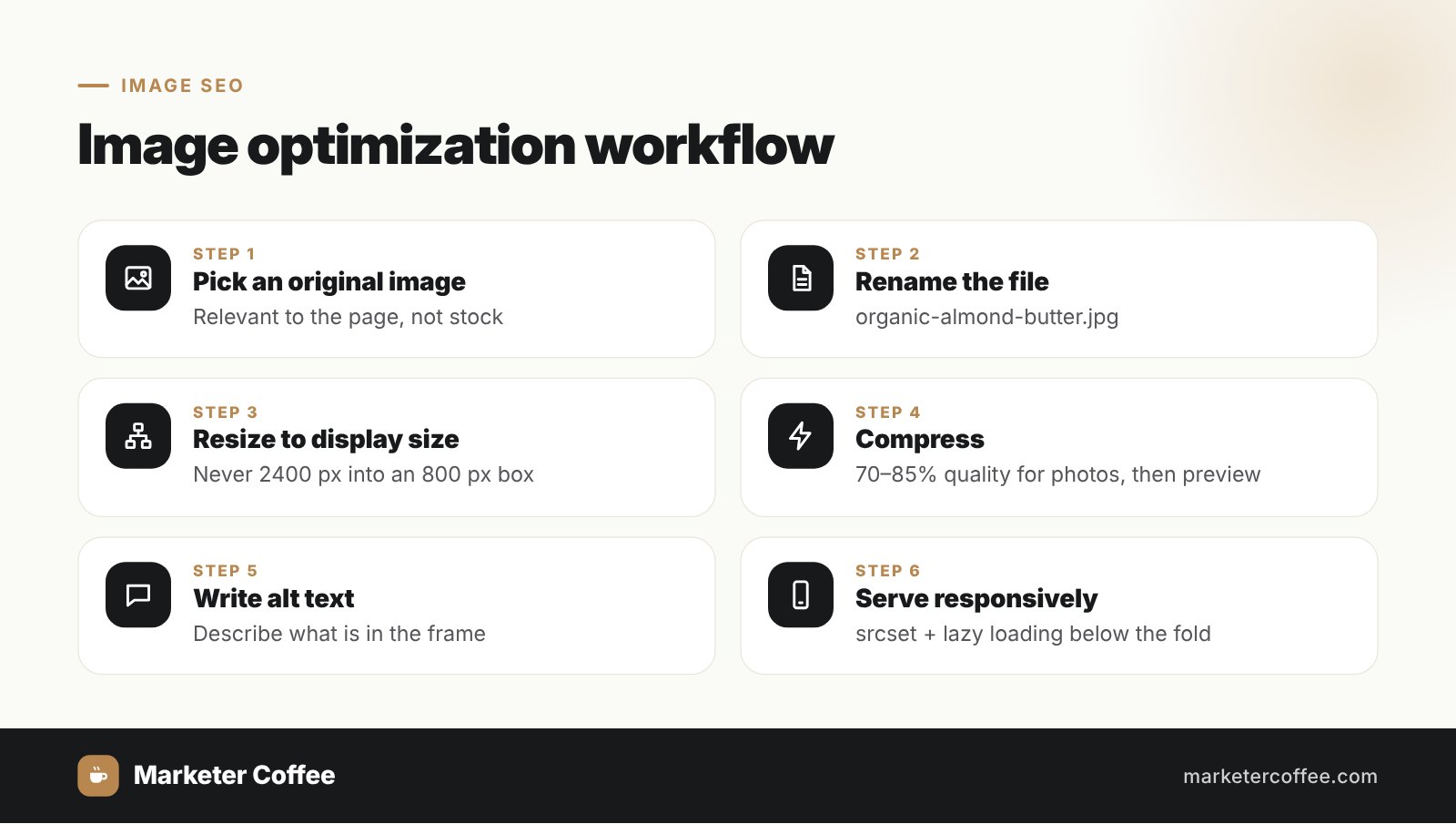
Rename files before upload: organic-almond-butter.jpg rather than IMG_2045.jpg. Resize to the maximum size the layout actually displays, since serving 2400 pixels into an 800-pixel container wastes bandwidth on every visit. Compress with TinyPNG, Squoosh or ImageOptim and preview the result rather than trusting the setting. Then write alt text describing what is in the frame, in natural language, with the relevant term included only where it fits.
Pro tip: Google recommends WebP, and I use it cautiously. In practice I have run into indexing problems with WebP files often enough that I would not rely on it where fast, dependable indexing decides the outcome, which means news content and anything aimed at Discover. For those, well-compressed JPEG remains the safer choice. For an ecommerce catalogue where the weight saving is substantial and indexing is less time-critical, WebP earns its place.
12 Image SEO Practices That Work
The twelve practices worth applying are descriptive filenames, natural alt text, correct dimensions, careful compression, appropriate formats, responsive images, lazy loading, contextual placement, CDN delivery, structured data and image sitemaps, keeping text out of images, and limiting stock photography.
1. Use descriptive filenames
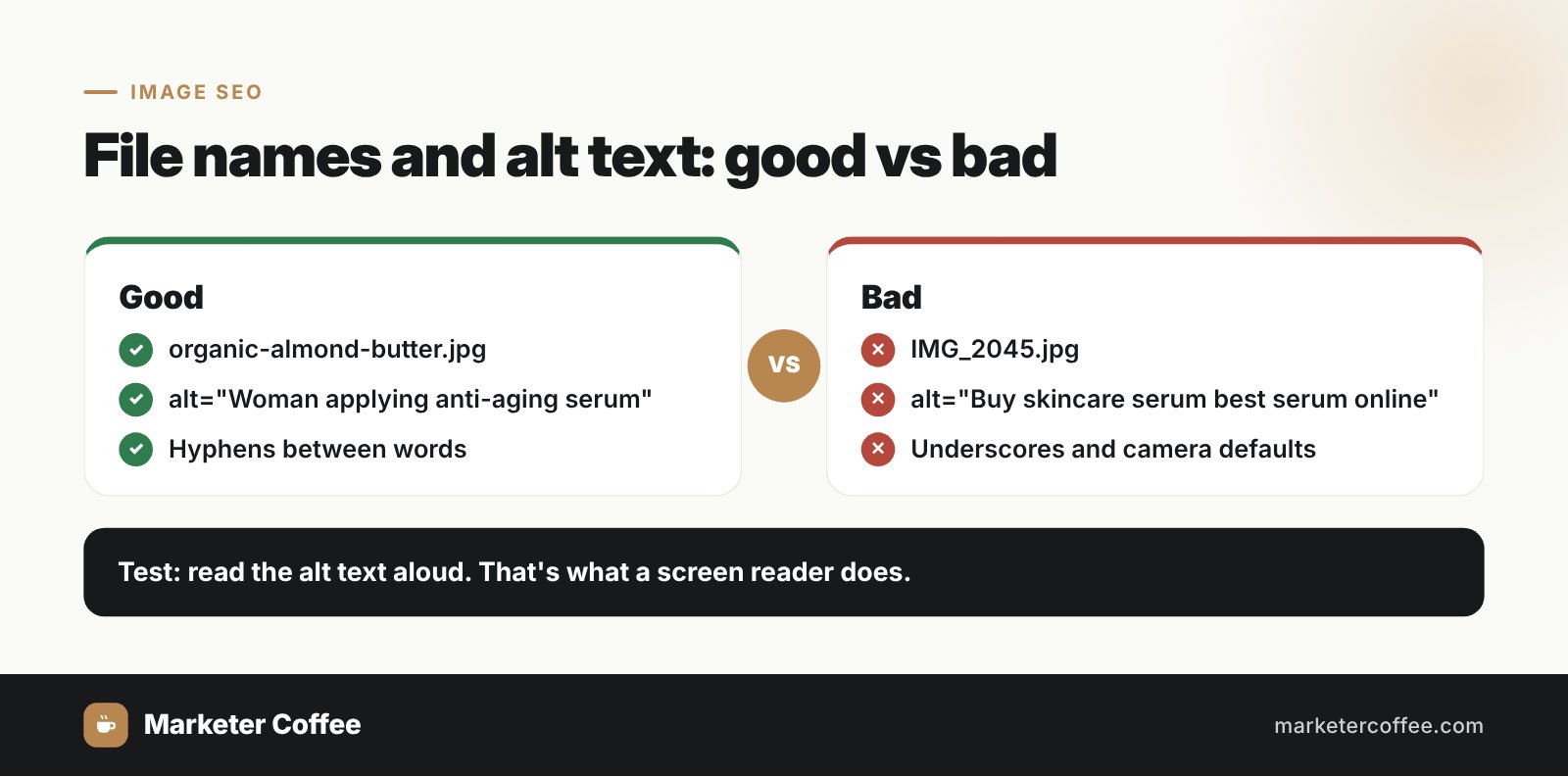
A small signal that costs nothing and compounds across thousands of files. Hyphens between words, no underscores, no camera defaults.
2. Write alt text for a human first
“Woman applying anti-aging serum” works. “Buy skincare serum best serum online” is keyword stuffing that a screen reader will read aloud, which is a good test of whether you have gone too far.
3. Upload at display size
If the banner renders at 1200 by 600, upload it at 1200 by 600. This single habit eliminates most image weight problems before they exist.
4. Compress with your eyes open
Lossy at 70 to 85% quality for photographs, lossless for graphics with sharp edges. Always preview. Over-compression is its own conversion problem, especially on product photography where the visitor is judging the item.
5. Pick the right format
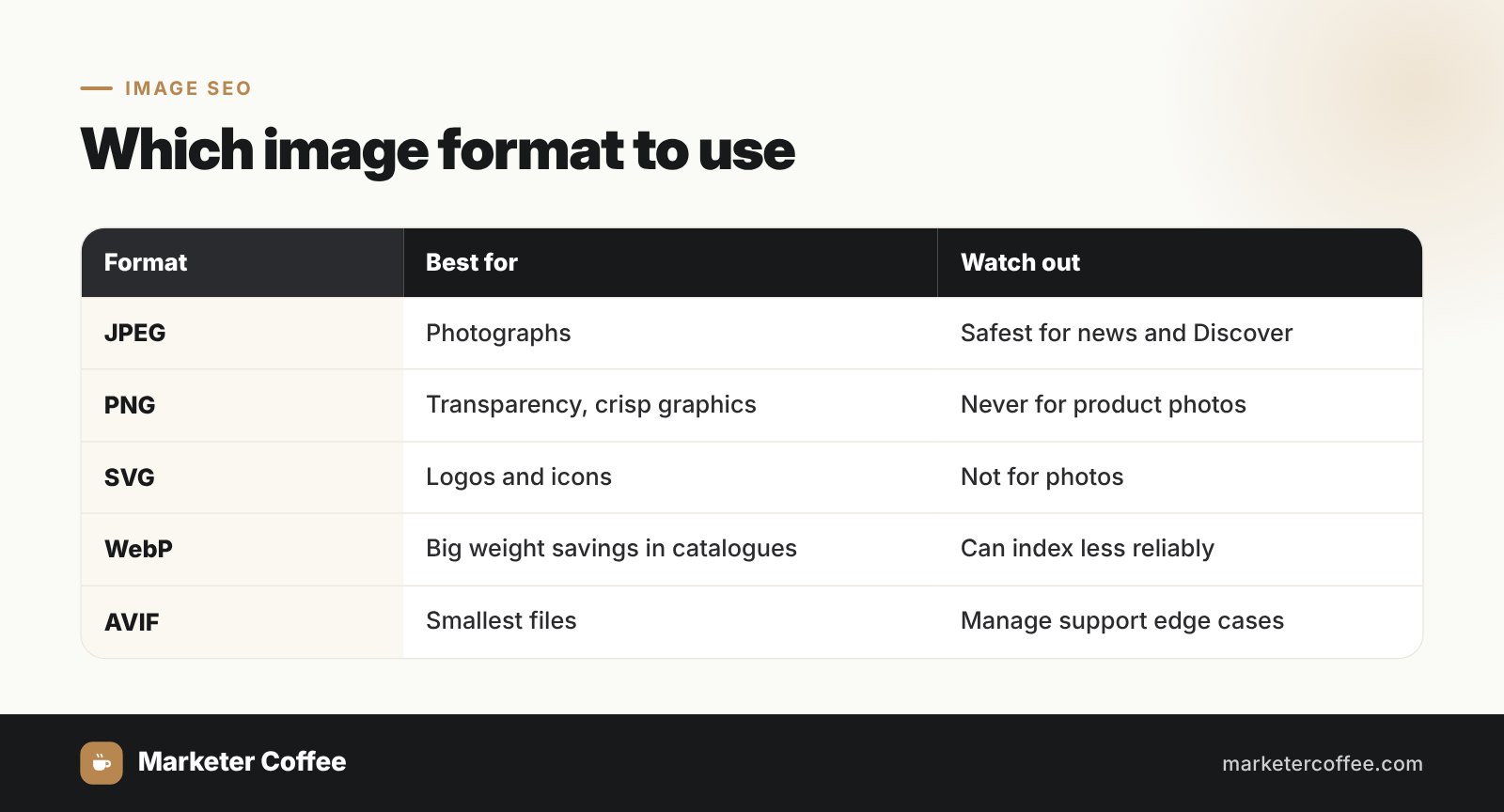
JPEG for photographs, PNG for transparency and crisp graphics, SVG for logos and icons, WebP where the weight saving justifies it, AVIF where you are willing to manage support edge cases. BMP and TIFF have no place on a website.
6. Serve responsive images
Use srcset and picture so a phone downloads a phone-sized file. On image-heavy pages this makes more difference to mobile performance than any compression setting.
7. Lazy load below the fold
Only load what is visible. On an article with ten images this measurably improves LCP, and native lazy loading covers most cases without a plugin.
8. Place images near related text
Search engines read surrounding content and captions to interpret an image. A photo of a strawberry tart next to a paragraph about seasonal desserts is legible. The same photo in a gallery block with no text is not.
9. Serve through a CDN
Latency is geographic. A CDN serves cached copies from near the visitor, which matters enormously once you have traffic in more than one country and barely at all if you do not.
10. Add structured data and an image sitemap
Product schema with real price and availability makes images eligible for rich results. An image sitemap helps when visuals load through JavaScript or sit deep in the site.
11. Keep important text out of images
Search engines cannot read text baked into a graphic. Opening hours, prices and headings belong in HTML. This is also an accessibility issue and occasionally a legal one.
12. Limit stock photography
Stock photos do not carry a penalty, they simply carry no advantage. The same image appears on five hundred other sites, so it will not rank in image search and it will not earn a link. Original photography does both.
Pro tip: Include the target keyword in the image URL, not just the filename. It is a small optimization on any single page and a meaningful one applied consistently across a whole catalogue, which is where most of the compounding in ecommerce SEO comes from.
How Do You Find Image SEO Problems?
To find image problems, crawl the site with Screaming Frog, check the image report in Search Console, and run key pages through PageSpeed Insights.
Screaming Frog surfaces missing alt text, oversized files, broken image URLs and images without declared dimensions. Set a file size threshold, 500 KB is a reasonable starting point, and everything above it becomes a work list.
In Search Console, switch the Performance report to Image search. Low impressions on a visually rich site usually means the images lack context rather than that they are too heavy. Images crawled but not indexed generally point at missing alt text, JavaScript loading or robots restrictions.
PageSpeed Insights and Lighthouse flag the specifics: properly size images, serve in next-gen formats, defer offscreen images. If LCP is slow and traces to a hero image, you have found the one file worth fixing first.
Then check manually. Right-click and inspect in Chrome to compare natural against rendered dimensions, which is how you catch a 2400-pixel file being scaled down to 600 in the browser.
What Image Size Should You Use?
Keep inline images under roughly 100 KB and hero images under 300 KB, at dimensions no larger than the container that displays them.
| Image type | Typical width | Target weight |
|---|---|---|
| Inline content images | 800 to 1200px | Under 100 KB |
| Product photography | 1000 to 1500px | 100 to 200 KB |
| Hero banners | Up to 1920px | Under 300 KB |
| Thumbnails | 300 to 400px | Under 30 KB |
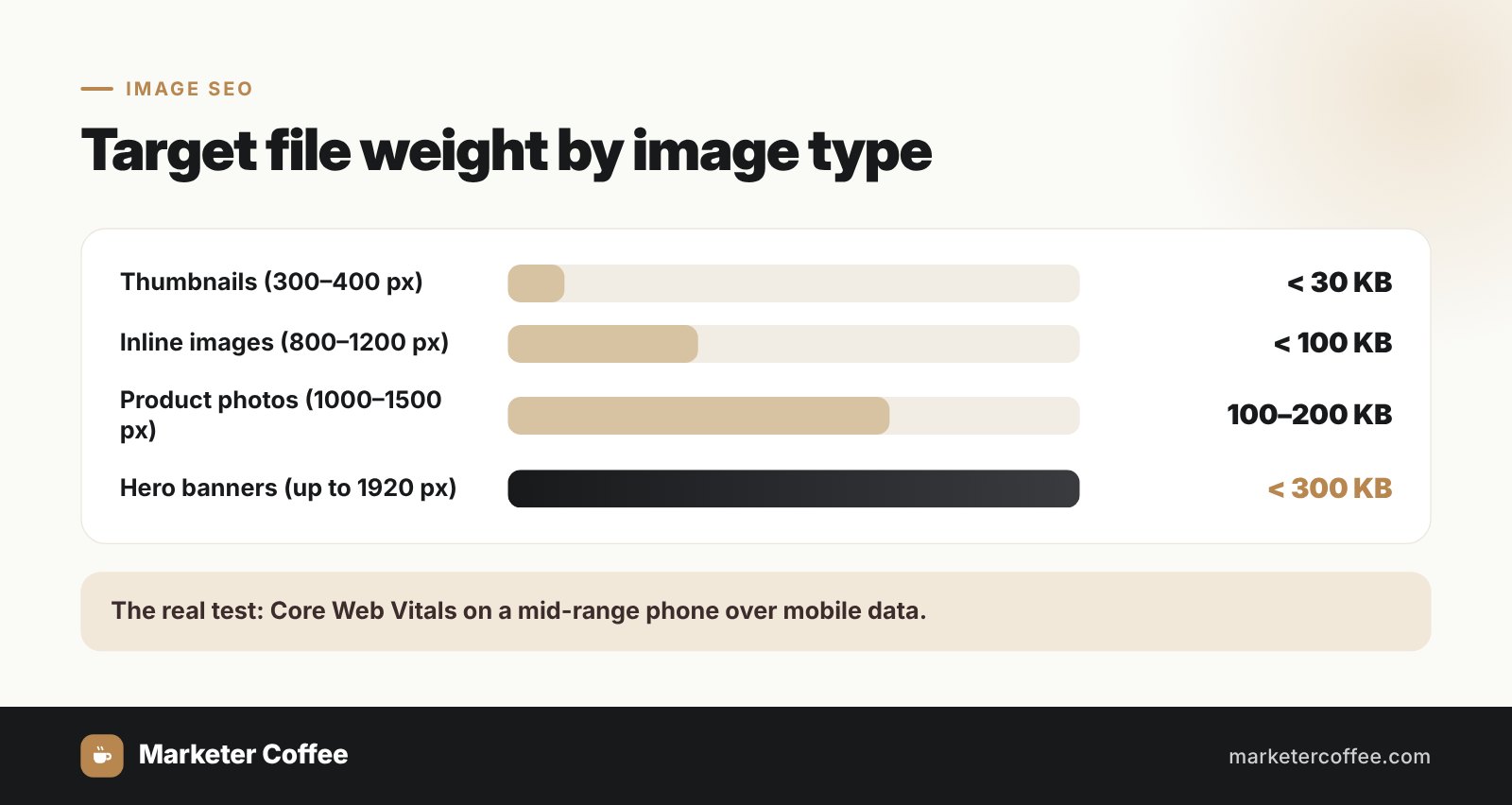
These are working targets rather than rules. The real test is whether the page hits its Core Web Vitals thresholds on a mid-range phone over mobile data, which is a different environment from the one you are testing in.
What Image Format Is Best for SEO?
Use JPEG for photographs, PNG for transparency, SVG for logos and icons, and WebP where the file size saving justifies the trade-offs.
Is PNG or JPEG better for SEO?
JPEG for photographs, because it produces far smaller files at equivalent perceived quality. PNG for logos, icons and anything needing transparency or hard edges. Using PNG for product photography is one of the most common causes of a bloated ecommerce page.
Is PNG or WebP better for SEO?
WebP in most cases, since it supports transparency like PNG at significantly smaller sizes. PNG only where lossless precision genuinely matters.
Is JPEG or WebP better for SEO?
WebP delivers similar quality at smaller size, which favours it on weight alone. My caveat from earlier applies: where reliable, immediate indexing decides the outcome, JPEG has been more dependable in my experience.
How Do You Handle Images on a Multilingual Site?
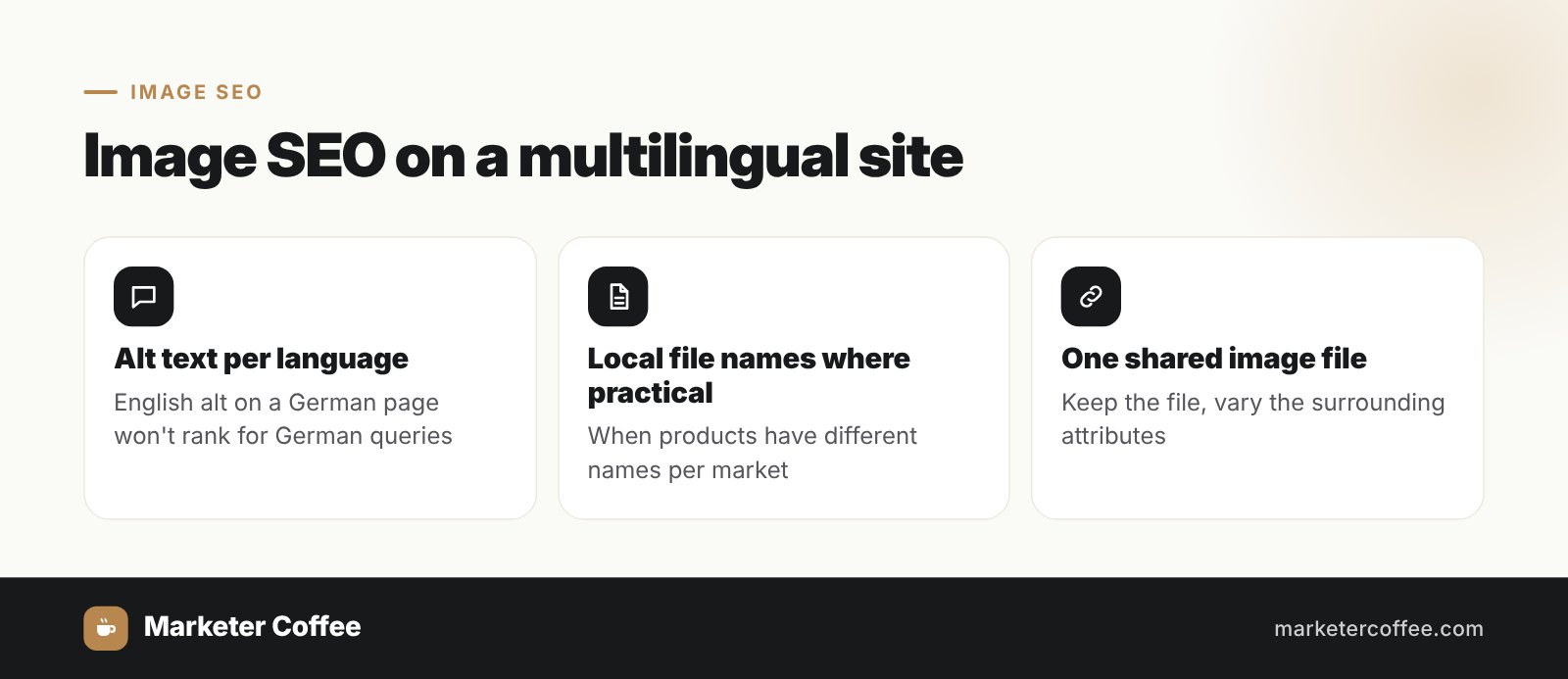
On multilingual sites, alt text and filenames should be written in the language of the page, because Google Images is personalized by language and location.
This is the part missing from most image SEO guides and it is a straightforward source of traffic that almost nobody claims. Three points:
- Alt text per language version. A German page with English alt text will not surface for German image queries. Most sites duplicate the English alt attributes across every version because the CMS copies them automatically.
- Filenames per market where practical. Not always possible on a shared media library, but where the same product has genuinely different naming per market, using it is worth the effort.
- Shared image URLs across versions are fine. You do not need separate files per language, and duplicating them fragments the signals. Keep one file, vary the surrounding attributes.
The wider context is in our guide to international SEO, but the image layer alone is often several percent of organic traffic on a product-led site operating in several languages.
How Do You Do Image SEO in WordPress?
In WordPress, compress and resize before upload, rename files descriptively, fill the alt text field in the Media Library, and let the theme handle responsive markup.
WordPress adds srcset automatically and has included native lazy loading since version 5.5, so the plugin layer is only needed for compression, WebP conversion and bulk fixes. ShortPixel, Smush and Imagify all do this competently. Yoast or Rank Math will include images in the sitemap.
For WooCommerce, set image sizes correctly in the Customizer before uploading a catalogue, because regenerating thousands of thumbnails afterwards is a considerably worse afternoon than getting it right first.
Do Images Affect SEO?
Yes. Images affect page speed, content relevance, accessibility and engagement, all of which feed into how a page performs.
Speed is the measurable path, mostly through LCP. Relevance is the subtler one: alt text, filenames, captions and surrounding content all help search engines interpret what a page covers, and the machine vision layer means the image content itself contributes too. Traffic from Google Images is a direct channel for retail and recipe content. And engagement, the softer signal, follows from pages that look considered rather than assembled.
Pro tip: During a site migration, preserve the exact image URLs or redirect the old ones properly. Teams recreate the page URL structure carefully and let the media library regenerate everything underneath it, which discards accumulated image search visibility overnight. I have seen this cost more traffic than the migration itself was meant to gain.
What Makes an Image SEO-Friendly?
An SEO-friendly image loads fast, has a descriptive filename and accurate alt text, uses an appropriate format at appropriate dimensions, and sits near content that explains it.
That is the whole checklist. None of the individual items is difficult, which is precisely why they get skipped, and why doing them consistently across a catalogue is a real competitive advantage.
What Are the Best Image SEO Tools?
The tools worth having are TinyPNG or Squoosh for manual compression, ShortPixel or Imagify for automated WordPress workflows, a CDN such as Cloudflare or Cloudinary for delivery, and Screaming Frog plus Search Console for finding problems.
| Tool | Use | Best for |
|---|---|---|
| TinyPNG / Squoosh | Manual compression with preview | Individual images, full control |
| ShortPixel / Imagify / Smush | Automated compression and conversion | WordPress at scale |
| Cloudflare / Cloudinary / Imgix | On-the-fly resizing and delivery | International traffic, large catalogues |
| Screaming Frog | Bulk audit of alt text, size, broken files | Finding what is wrong |
| PageSpeed Insights / Lighthouse | Performance diagnostics | Prioritizing by impact |
| Google Search Console | Image search performance and indexing | Measuring whether it worked |
What Are the Limitations of Image SEO?
The limitations of image SEO are that images cannot substitute for text content, not every image gets indexed, over-compression damages the experience, and alt text carries limited context.
“images alone don’t create high rankings”Landingi, SEO Image Optimization: Definition, Importance, and 12 Tips
Indexing is not guaranteed. Images without alt text, loaded through JavaScript, set as CSS backgrounds or blocked in robots.txt contribute nothing, and decorative visuals contribute nothing by design.
Over-compression is a real cost that gets treated as free. A blurry product photo undermines trust in exactly the moment someone is deciding to buy, and no Core Web Vitals score compensates for that.
And image SEO cannot fix slow hosting, poor mobile design or missing structured data. It is one layer among several, worth doing properly and not worth mistaking for a strategy.
Get International SEO Services From Marketer Coffee
Image work is the kind of unglamorous compounding that separates catalogues over a couple of years, and it multiplies once a store sells in several languages, where alt text, delivery latency and image search visibility all vary by market. That is what we do at Marketer Coffee, a Poland-based international SEO agency working with ecommerce and SaaS brands across the US, UK and Europe, at rates 40 to 60% below comparable US and UK agencies. Every engagement opens with a free preliminary audit covering Core Web Vitals, indexation and market-level gaps, plus a 90-day plan ordered by what is costing you most.
See the scope and pricing in international SEO services, or go straight to your market: United States, United Kingdom, Germany. If you would rather see retail results first, the Aldi case study covers 132% organic growth in twelve months.