What is Google Flow?
Google Flow is an AI filmmaking app from Google Labs that turns prompts and images into video clips and edits them into scenes. It combines the Veo video models, the Nano Banana image models and Gemini for prompt understanding in one browser workspace. Google introduced Flow at Google I/O in May 2025 as the successor to its VideoFX experiment.
How does Google Flow work?
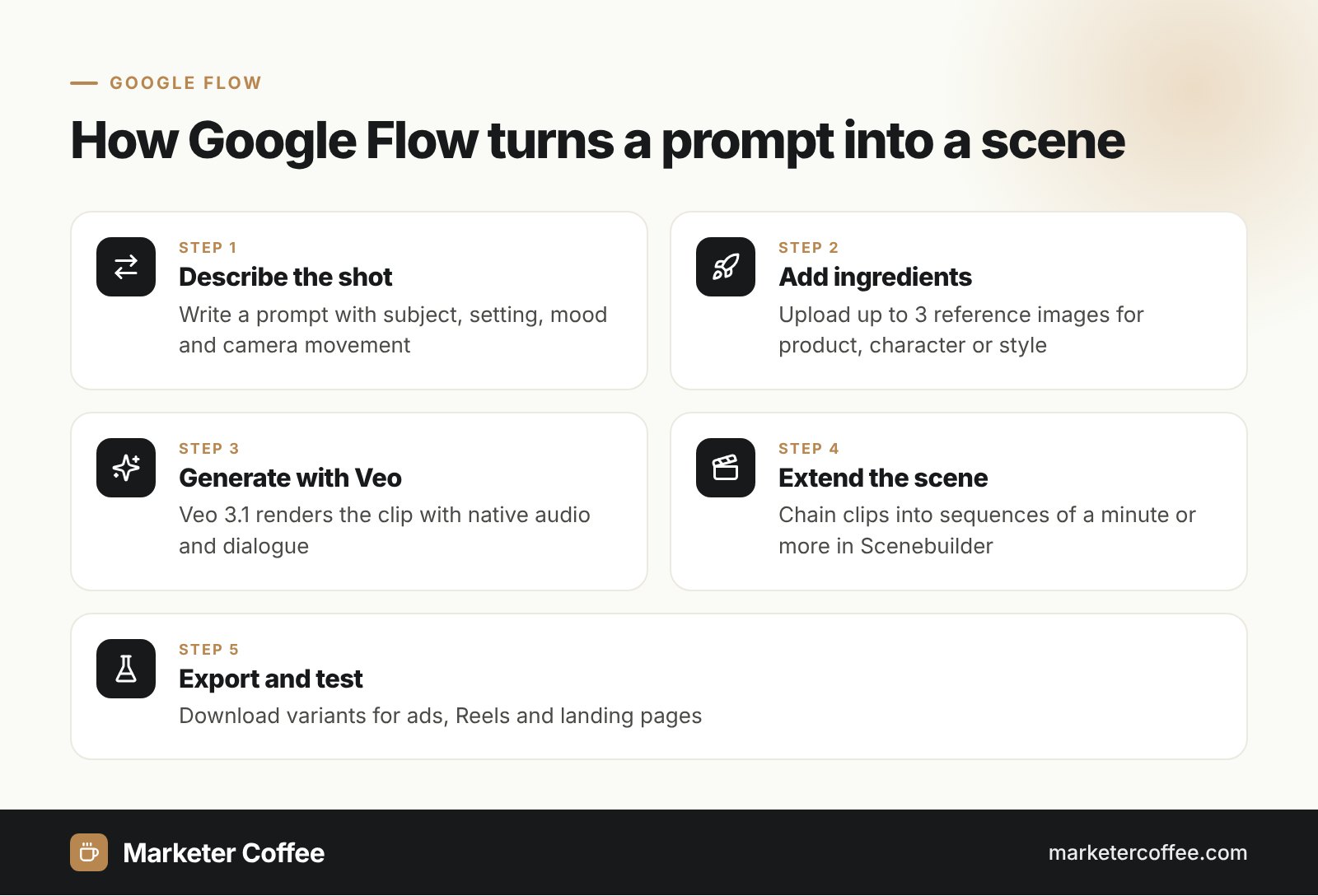
Flow works by generating short shots from text or reference images and chaining them into a longer sequence. You describe a scene, add “ingredients” such as a product photo or a character, choose camera movement, and Veo renders the clip with native audio. Scenebuilder then lets you extend, trim and arrange shots into a story.
Key creation modes
Google’s October 2025 update with Veo 3.1 gave Flow four core modes:
- Ingredients to Video: up to 3 reference images guide characters or style.
- Frames to Video: a first and last frame define the shot in between.
- Scene Extension: clips continue into sequences of a minute or more.
- Object insertion: new objects match the scene’s light and shadows.
History and key facts about Google Flow
Flow grew from a US-only tool for paying subscribers into a studio available in more than 140 countries within two months of launch.
| Date | Milestone |
|---|---|
| May 2025 | Launch at Google I/O with Veo 3 and Imagen 4, US only, AI Pro and Ultra plans |
| 10 Jul 2025 | Expansion to 76 more countries (140+ in total), speech in Frames to Video |
| Oct 2025 | Veo 3.1 and new editing tools; 275 million+ videos created since launch |
| Jan 2026 | Flow available as a Google Workspace service for business and education |
| Feb 2026 | Redesign with an asset grid and built-in Nano Banana image generation |
Access still depends on the plan: image generation is free in Flow, while video generation uses credits from Google AI Pro or Ultra, according to Android Authority’s February 2026 report.
Google Flow in marketing
Flow gives marketers a way to produce ad and social video variants without a film crew. I see teams use it for product teasers, storyboard tests before a real shoot, and localised versions of one concept for different markets. Short clips fit Instagram Reels and TikTok formats, and fast iteration lets you test hooks before you scale a viral idea with paid media.
- Prototype ad concepts in hours instead of weeks.
- Localise one scene for several languages and markets.
- Generate B-roll for landing pages and YouTube.
- Reuse product photos as ingredients for consistent branding.
Video also matters in AI search: Google’s AI Overviews can cite YouTube videos as sources, so original video assets support your AI SEO visibility.
How to start using Google Flow
Starting with Flow takes a Google account, a supported country and a Google AI plan for video. The workflow below is the one I recommend to marketing teams that test the tool for the first time.
- Open Flow from Google Labs and sign in with your Google or Workspace account.
- Create a project per campaign so assets stay grouped in the asset grid.
- Generate or upload key images first, because images are free and anchor the style.
- Write one prompt per shot, naming subject, action, setting, lens and mood.
- Review every clip for brand, product accuracy and rights before publishing.
Pros and cons of Google Flow
| Pros | Cons |
|---|---|
| Native audio and dialogue from Veo | Video requires a paid Google AI plan |
| Consistent characters across shots | Short clips need stitching for long videos |
| Integration with Workspace accounts | Brand and legal review still required |
Frequently asked questions about Google Flow
Is Google Flow free?
Image generation in Flow is free, according to Android Authority's February 2026 report. Video generation uses credits included in Google AI Pro or Google AI Ultra plans.
What model does Google Flow use?
Flow uses Google's Veo video models, currently Veo 3.1, plus Nano Banana for images. Gemini interprets prompts in the background.
When did Google Flow launch?
Google launched Flow at Google I/O in May 2025. It expanded to more than 140 countries on 10 July 2025.
Can businesses use Google Flow?
Yes, since January 2026 Flow is available as an additional service for Google Workspace Business, Enterprise and Education editions. Admins can turn it on or off per organisational unit.
Related terms
- Meet Flow: AI-powered filmmaking with Veo 3 · Google
- Google's new AI moviemaking tool Flow · Android Authority
- Flow adds speech and expands to more countries · Google
- Google launches Veo 3.1 and new editing features in Flow · YourStory
- Flow now available as an additional Google service for Workspace · Google Workspace Updates
- Google Flow redesign with Nano Banana · Android Authority