
How does a lead differ from a prospect and a customer?
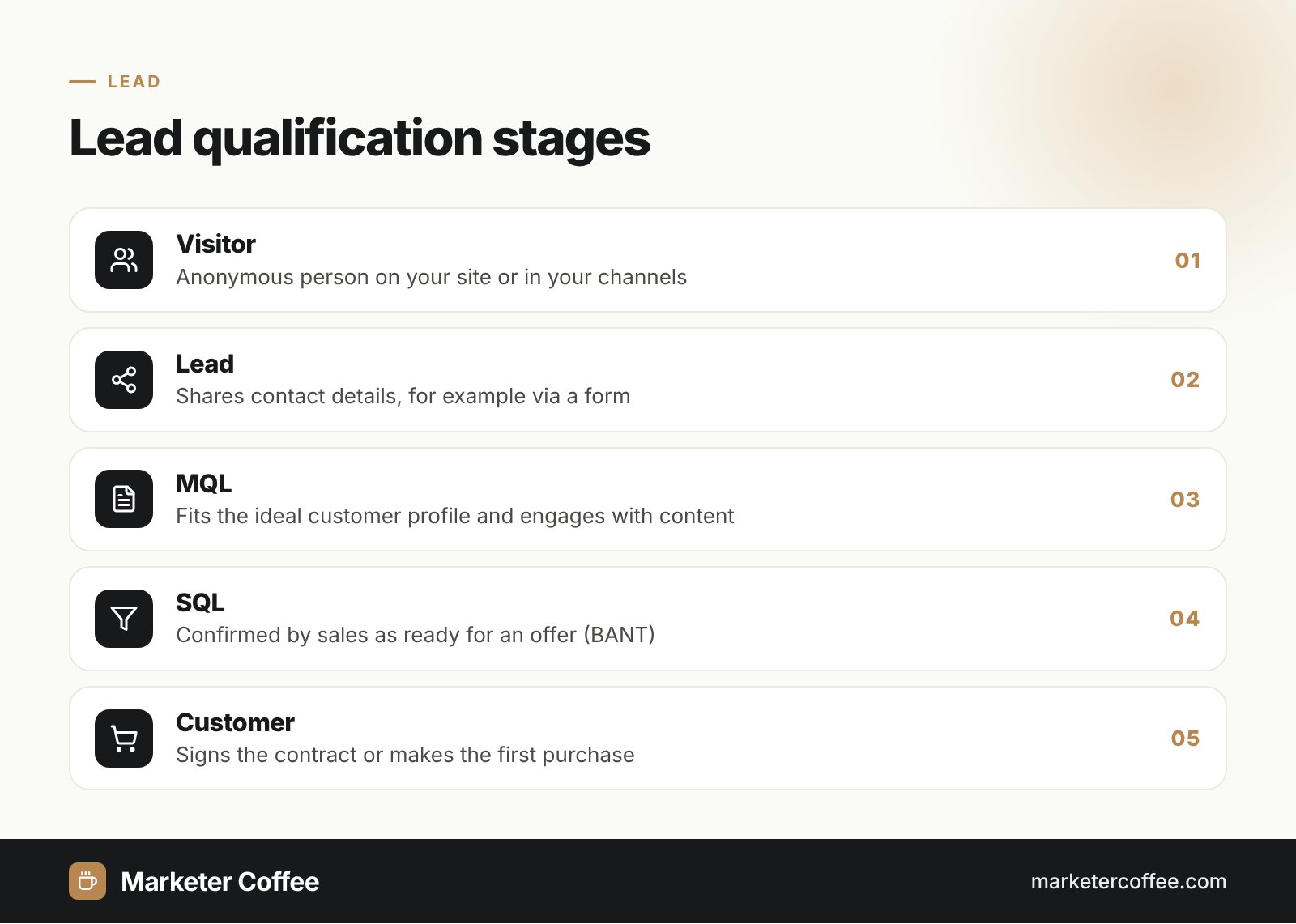
A lead is a contact who has expressed interest but has not yet been verified as a good fit or ready to buy. Once sales confirms fit and intent, the lead becomes a prospect or opportunity, and after the first purchase it becomes a customer. Salesforce describes a lead as someone who voluntarily shares contact information to stay in touch, typically by signing up for a newsletter or gated content.
Types of leads
Leads are grouped by temperature (how warm their interest is) and by qualification stage (who confirmed them). The stage model below is the standard in B2B marketing and maps neatly to the funnel.
Cold, warm and hot leads
A cold lead knows little about you, a warm lead has engaged with your content, and a hot lead shows clear buying intent, such as a pricing request.
Marketing qualified lead (MQL)
An MQL meets the marketing team’s criteria: it fits the ideal customer profile and has engaged enough (for example downloaded two guides and visited the pricing page).
Sales qualified lead (SQL)
An SQL has been checked by sales and is ready for a direct offer. A common qualification framework is BANT: Budget, Authority, Need and Timing.
Product qualified lead (PQL)
A PQL is typical for SaaS: a user of a free trial or freemium plan whose product usage signals readiness to pay.
How does lead generation work?
Lead generation works as a sequence that turns anonymous traffic into qualified contacts in the sales pipeline:
- Attract visitors through SEO, paid ads, social media or events.
- Offer value in exchange for contact details: a report, webinar, calculator or demo.
- Capture the lead with a form and store it in a CRM.
- Score the lead with points for actions such as webinar attendance or pricing page visits.
- Nurture it with email sequences and relevant content until it is sales ready.
- Hand it over to sales as an SQL.
Salesforce lists four metrics to judge this process: conversion rate, cost per lead (CPL), lead quality and ROI. CPL is simple: a campaign that costs $1,000 and brings 200 leads has a CPL of $5.
Leads in SEO and AI search
SEO generates leads because it captures people at the moment they research a problem, without paying for each click. In B2B this matters even more: Gartner’s research shows buyers move through six jobs (problem identification, solution exploration, requirements building, supplier selection, validation and consensus creation), and most of them happen through self-directed research on Google and, increasingly, in AI assistants.
In my B2B SEO and SaaS SEO projects I build lead flow around three content types:
- Comparison and alternative pages that answer late-funnel queries.
- Problem-focused guides that rank and get cited in AI answers.
- Tools such as calculators and templates that justify leaving an email.
Measure leads per landing page and per channel, not just traffic, and track the share of leads that become SQLs. A KPI set built on SQLs prevents you from optimising for cheap but useless form fills.
MQL vs SQL
MQL and SQL differ in who confirms the lead and what happens next.
| Aspect | MQL | SQL |
|---|---|---|
| Qualified by | Marketing (scoring, fit) | Sales (conversation, BANT) |
| Intent | Interest in the topic | Intent to buy |
| Next step | Nurturing | Offer, demo, negotiation |
| Typical signal | Ebook download | Pricing or demo request |
Frequently asked questions about Lead
What is a lead in marketing?
A lead in marketing is a potential customer who has shown interest in a product and shared contact details. Typical sources are forms, demo requests, webinars and gated content.
What is the difference between a lead and a prospect?
A lead has shown interest but has not yet been qualified, while a prospect has been confirmed as a good fit with a real buying need. Sales usually turns leads into prospects after a qualifying conversation.
What is an MQL and SQL?
An MQL (marketing qualified lead) meets marketing's criteria for fit and engagement. An SQL (sales qualified lead) has been verified by sales as ready for a direct offer.
How do you calculate cost per lead?
Divide total campaign cost by the number of leads it generated. A $1,000 campaign that brings 200 leads has a cost per lead of $5.
Related terms
- What is lead generation? A complete guide · Salesforce
- The B2B buying journey · Gartner